Is there a way to create a custom UI without the button? Works on ZB4. See R2 screen shot.
Attachments
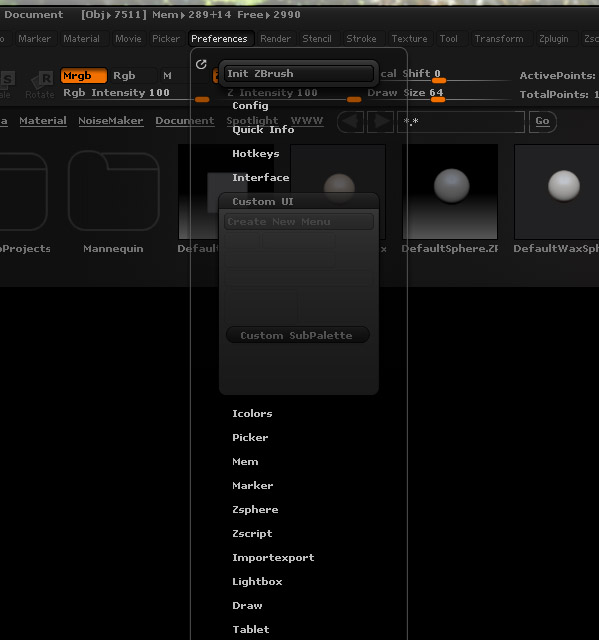
Is there a way to create a custom UI without the button? Works on ZB4. See R2 screen shot.
I don’t think anyone reads this troubleshooting forum. Very few replies to anyone’s posts. They moved the Enable Customize button to the config tab under preferences. Who knows why.
Problem solved.
Thanks spec24.  Questions won’t necessarily get a reply immediately. The moderators are in different time zones, for a start. But we do try to answer everything that hasn’t received a reply from someone else.
The Enable Customize button was moved because when you have finished creating a custom UI you need to save it, so it makes sense to have it in the Config menu. This, and a few other changes, are mentioned in the Online doc - Note for users of ZBrush 4
Hey Marcus. No offense meant, just appeared to be a lot of questions with zero replies. And honestly so many forums don’t have real support people answering questions I was surprised. Most forums rely on only members to answer and it looked like all the action was in the main forum
That’s all right spec24, none taken. I should have mentioned that after a new release there are also a lot more replies and it can take longer to deal with them.
Cheers,
that makes sense
perfect! thank you spec24.
chem!