Hi,
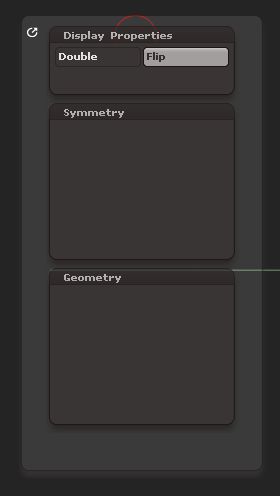
I’ve created 3 custom menus for myself, and for each I’ve linked a hot key. The first is activated using ‘h’; the second using ‘j’; and the 3rd using ‘k’. The first 2 menus haven’t given me any problems, but the 3rd is driving me nuts! Every now and then items in the menu just disappear (see example screen shot). I keep having to re-add the missing items to it, only to find that shortly after some use, they disappear again. Why is this happening??
Also, when items have disappeared from a sub-palette, the sub-palette seems to grow longer. Any reason for this??
Attachments