ZBrushCentral

Editing ring master's US sizes to EU sizes

Hi,

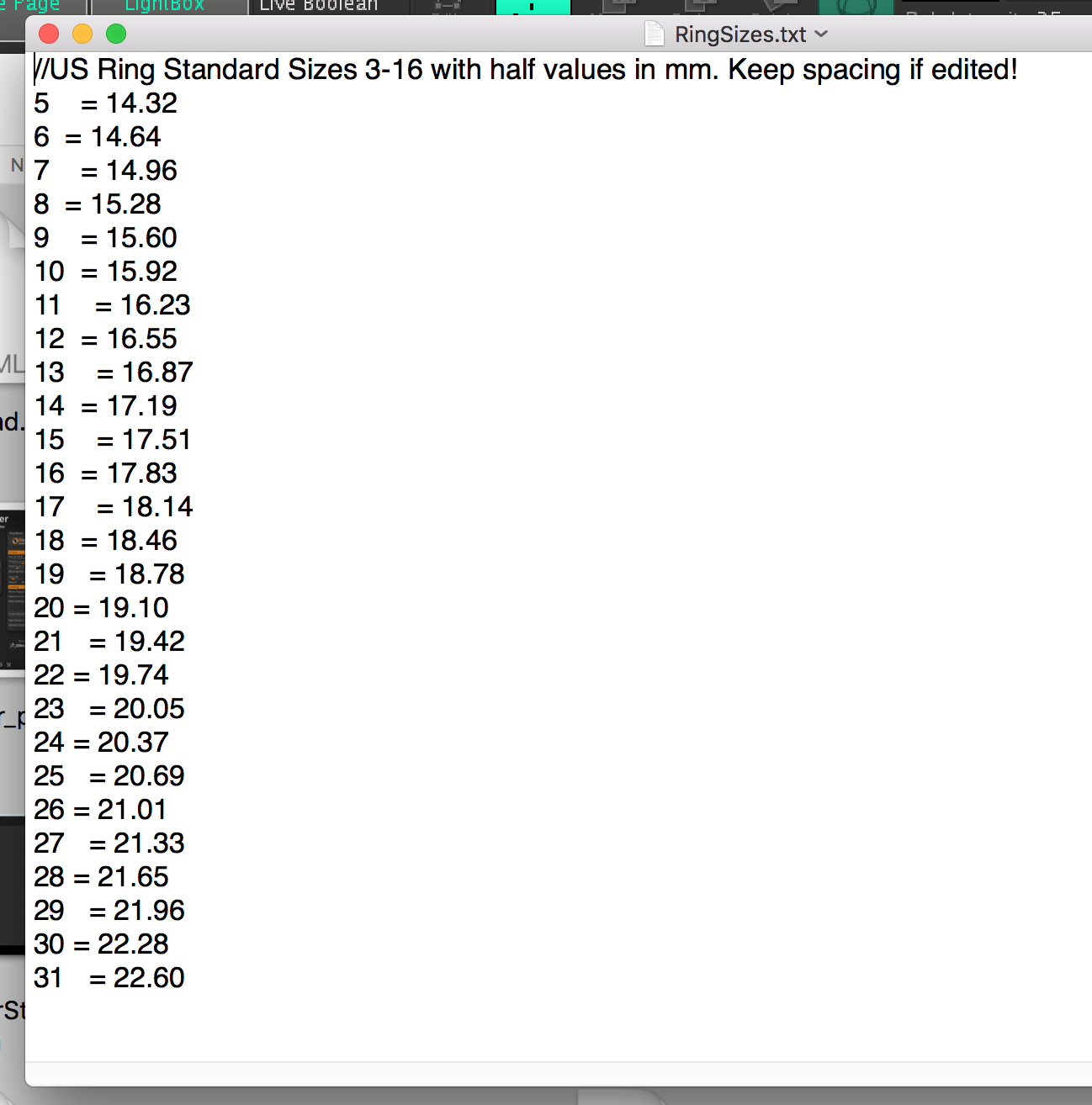
i have try to edit ring master’s US ring sizes to EU sizes.
I change the

3 = 14.073.5 = 14.48
4 = 14.88

to

5 = 14.32
6 = 14.64
7 = 14.96
8 = 15.28
9 = 15.60

but is not working. When i am using the ring-master plugin it’s still showing the values in 3, 3.5, 4, 4.5…

Is there a way to do it correct or i just can’t change the 3, 3.5, 4, 4.5… values??

Thank you.
Screen Shot 2017-07-19 at 7.16.02 PM.png

Attachments

Screen Shot 2017-07-19 at 7.16.02 PM.png

@DELACRON:

The text file needs to keep the sizes 3-16 in order for it to function currently. In the text file there 27 slots for ring sizes with each of these correlating to the numbers 3, 3.5, 4, 4.5, , up to 16 inside the Plugin. The plugin currently reads these based on line order.

The 2nd line (with ‘3’) will return the value inside of Ring Master when ‘3’ is selected.
The 3rd line (with ‘3.5’) will return the value inside of Ring Master when ‘3.5’ is selected.
The 4rd line (with ‘4’) will return the value inside of Ring Master when ‘4’ is selected.

You can change the mm values to anything you like however they will currently always link to the specified number with this version.

Let me know if that helps,

-Joseph

Hi,

Thank you for you answer Joseph.
I will change only the mm values.

I suspect that you are the creator of this very helpful plug-in.

I am a jeweller and this plug-in helps a lot.

It would be nice if these changes were possible in future updates.

If i could be useful in plugin’s upgrade, i will be more than happy to help, with my jewelry knowledge.

Thanks again.

Have a Wonderfull day

-Delacron

@DELACRON: Thanks! Sending you a PM :slight_smile:

-Joseph