ZBrushCentral

Edit curves-problem [Answered]

When I make a curve for an insert-brush (in this case a shoe-lace) I try to wrap the shoe-lace around eyelets of the shoe. The problem is, when I edit the curve, it’s rather difficult, not to move already correct positioned parts of the curve.
I only find a button to fix the end and the beginning of the inserted curve. Masking the already correct placed parts of the inserted lace also doesn’t help.

Is there a way to fix parts of a curve and work on and edit/move unfixed parts only.
Using a very small brush-size for positioning the curve doesn’t really help, a little too big move moves other parts of the curve and destroyes the already correct position. I really get frustrated.
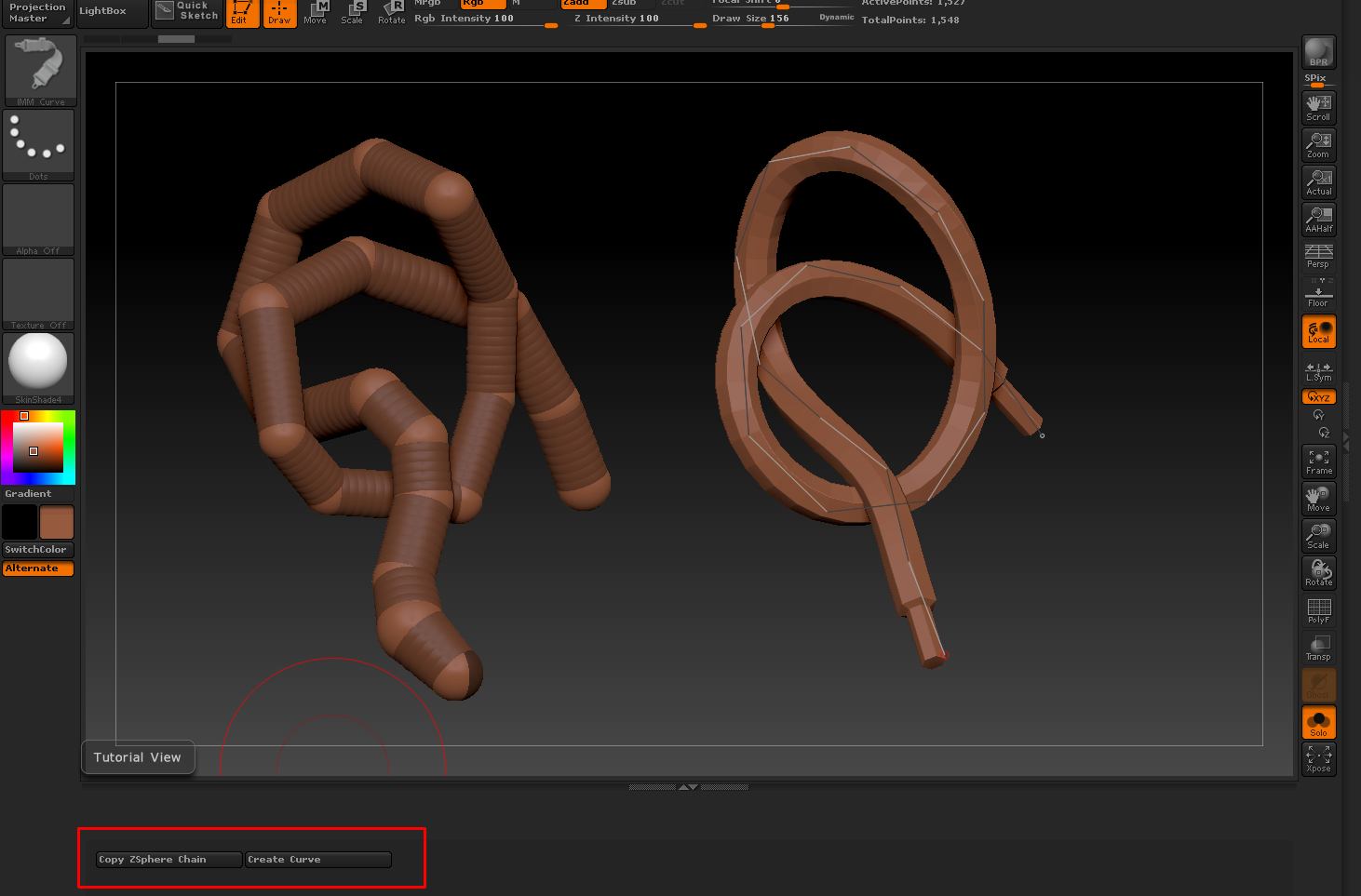
For isolated editing like that, it’s probably better to just create an approximate shape using the curves, convert it to the geometry and then edit the result using the sculpting tools (move, masking, etc)

This script might be useful. It will convert a ZSphere chain into a curve.

Installation and loading the script

  1. Unzip the zip file to your Desktop and copy the ZSC file to your ZBrush 4R5 /ZScripts folder.
  2. Load the file using the Load button in the ZScript palette. The buttons will be in the ‘Tutorial window’ at the bottom of the UI. Press H on the keyboard to show them (see image).

Instructions

  1. Append a ZSphere to the model you wish to add a curve to.
  2. Select the ZSphere in the SubTool list. Scale and move it to a suitable start position.
  3. Add ZSpheres to create a chain of ZSpheres, positioning how you want in relation to the other subtool.
  4. When ready to copy the ZSphere chain press the Copy ZSphere Chain button.
  5. Switch to the subtool that you want to add the curve to and press Create Curve.
  6. With an InsertMesh brush selected, click on the curve.

Notes:

  • The root ZSphere (the one you start with) must be at one end of the chain.
  • Create a single chain - branches will not work.
  • The curve will follow the ZSphere chain more closely if there are more ZSpheres along the chain.

Download here:

HTH,

Attachments

CurveHelper-pic.jpg

That looks really useful! :smiley:

Thanks. :slight_smile: It’s pretty basic at the moment. I’m exploring the possibilities for a Curves plugin. Any comments/suggestions gratefully received. :wink:

Oh, very interesting, I’ll give it a try. It seems, I’m not the first with that problem.

Thanks very much

Looks awesomely useful, you’re the man. Can’t wait to try it out. If there were some way to easily select and then align a bunch of them in a particular axis, that would also be handy. And maybe a tree generator with a few (6 or 8) basic parameters, trunk length, taper, # of branches, # knots/branch, random twist or live update via sliders. Hint, wink.