ZBrushCentral

Edge loop help

Hey all.

I’ve finished up my cat sculpt and wanted to ask a few questions. She began as a dynamesh sphere and worked her way up to the final piece. Eventually she will have fur, but I will probably use nHair in Maya(all part of a pipeline practice). I decided to take her out of dynamesh with a good amount of detail and ran into my first problem, as soon as I used qRemesher, I lost alot of detail. I figured, no big deal, this probably happens right? (if not feel free to correct me :slight_smile: ).

I went back and remodeled some things after adding some divisions (up to 4 to be exact), and then once I got it to what I thought would be fine, I goZ’d her. Unfortunately the edge flow in Maya was not good in the eye area and a few others.

I guess I have alot of questions, I must be missing some things. LOL.

I decided to qremesher again. Hopefully this will work. I don’t think I can insert images.

Attachments
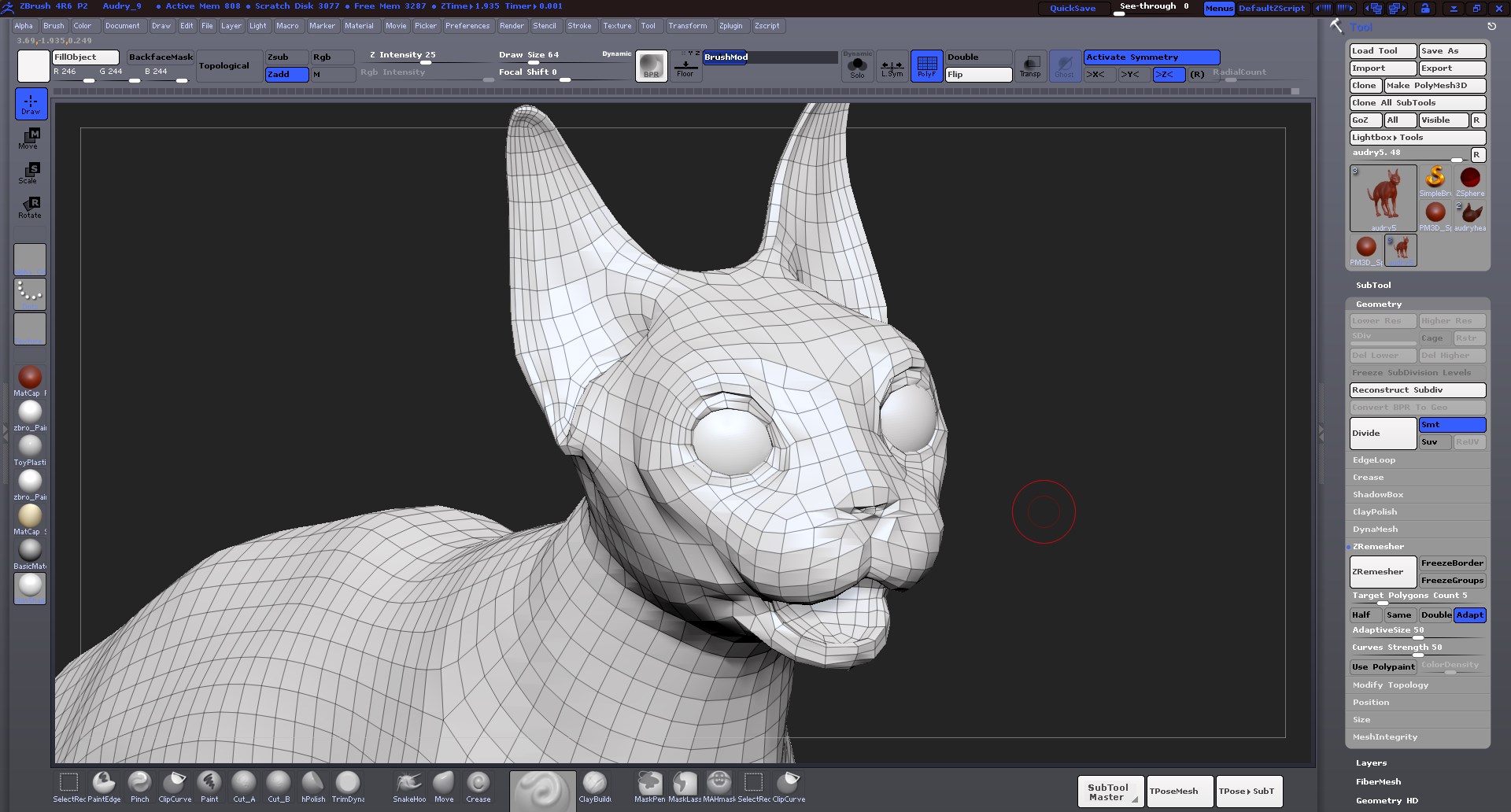
audrey_qremesher.jpg

You don’t actually ask any questions in this post.

I’ll try to answer what I think you wanted to ask.
You don’t actually Zremesh your sculpt. Duplicate the mesh, Zremesh it, subD it up, and project it. This will get back all of your detail.

Did you use any curves to help Zremesh understand the type of topology you wanted to make?
Zremesh isn’t really a complete replacement of manual retopology, it is a great starting point, and usually works very well for sculpting.

SOrry about that.

I was a bit tired when I posted. I guess yeah I don’t understand the pipeline enough to know when to use what tool. I did not, in response to your question about curves, I did not use that. I just pressed it like in the 1 demo in the zremesher on the pixologic site. I know he showed that method as well as the “use polypaint” option.

I’ll have to reread your instructions on the reprojecting. So I don’t use my original mesh to remesh then? Copy it and then remesh the copied one? reproject the detail? Ok, I’ll have to look that one up.

Thanks for the response. More to learn :).

Sean