ZBrushCentral

Dynamesh issue!!! - Plz help

Hey every one.

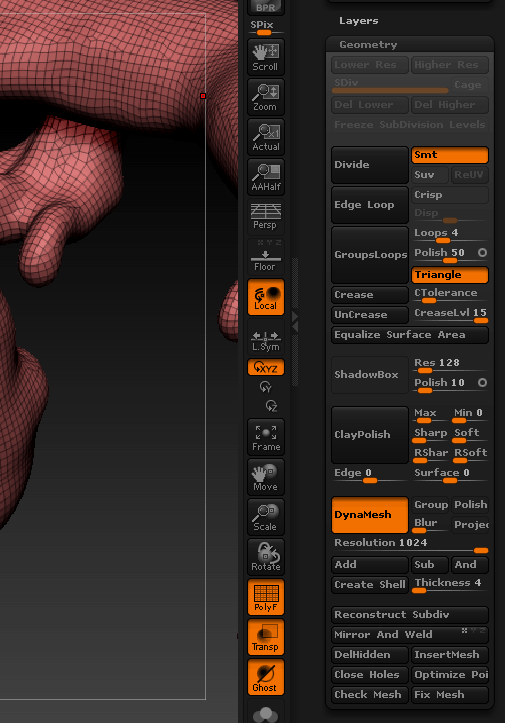
Ok I’m working on blocking out a dragon in zbrush and everything was working fine and at some point the dynamesh stopped adding Geo.

No matter what I do or add it will not go past 150k pts. I have even exported the model out of zbrush in obj format then brought it back in and dynameshed it with the same result. And according to the dynamesh wiki information:

“On a technical level, the new geometry resolution generated by DynaMesh is limited to a cube of 1024x1024 (≈1.05M polys per face & ≈6.3M polygons per DynaMesh/Subtool). When the mesh bounding box is pushed out of this maximum resolution, the geometry can start lose details.”

SO, does any one have any idea how I can go about fixing this issue? first time dynamesh has limited it self on me. I will post a screen grab as well.

O and pardon me if I’m posting this question in the wrong spot on the forums.

Best Regards

Kyoske

Attachments
issue.gif

Weird. I’ve had plenty of crashes from abusing dynamesh, including one just a minute ago, but never saw it do that. Maybe one of the gurus around here will have a solution for you.

hey kyoske,

i have two suggestions for you:
first, to update geometry resolution, you have to change somethin on the geo and then remesh ist (empty mask). but i think you already tried that?

second you can size up the model itself. i never read the dynamesh-documentation, but i think the polycount is relative to the size of the object.

hope, one of the two will help you :slight_smile:

deformation panel / size up.
To have some visualization, turn on grid floor. :wink:

hi there i think i know your provblem
exit dynamesh and divide one time and re-enter dynamesh should solve your problem a trick i got from ryan kingslien.
grtz jacked

I m with the size changing because it happen to me eailer.

Thanks for the responses but still nothing, I have sized up, down, exited dyna-mesh subdivided and re-entered dyna-mesh. I even tried cranking the resolution up to 1024, and nothing changes (yes I have updated and changed the mesh b4 I re-mesh it i know the model needs to change).

It just stays at 150k… I would normally just subdivide the model and work on it but I have some pretty drastic horns and body work yet to come.

sad no one knows, well ty for the folks that tried, back to work I go ^__-

Scaling up and / or subdividing make no difference in the tests I’ve done.

Hey guys,

I’m having the same problem, my theory is it’s a bug which is triggered by using a certain function.
Unfortunately I haven’t worked out what that is yet, at first I thought it might be transpose master but I’ve gone back to an earlier model and it’s not that.

Here’s what’s happening to me…
I have a soldier model made of multiple dynamesh subtools,
His gas mask has a dynamesh res of 480 - 203,480 polys
When I re-dynamesh and stay at 480 it goes down to 11,435 polys
When I re-dynamesh and go all the way to 1024 it’s only 51,028

In the same sub-tool palette if I bring in a sphere and dynamesh it works as you’d think 1024 res = 2.5million etc
I’ve duplicated this sphere around 10 times in the same palette and it remains consistant, the gas mask alas won’t go above the 50k mark.

I’ve tried all the tricks above alas to no success.

Hopefully we’ll get to the bottom of this, as a workaround I’m just turning dynamesh off and dividing as normal which isn’t ideal.

Cheers
Darkus

Ok I just hit unify (under the deformation tab) and dynamesh works fine now ???
That’s great but it’s going to be a real pain to reposition my 30 sub tools :frowning:

Still, progress I guess :confused:

Ok when I was trying earlier I musn’t have scaled it up enough because It definitely appears to be a size issue.
Happily I used transpose master and I can scale up the whole thing.

Thanks to everyone who initially suggested the scale idea, I didn’t explore that option enough.

Kyoske - I hope this works for you.

Cheers
Darkus

Kysoke, try clicking off the ‘Freeze Subdivision Levels’.

Ezra

i have had the freeze off b4, and I have tried to scale up but maybe I have no scaled enough ? I will also try and use the unify option,