ZBrushCentral

Dynamesh - Filling in Details After Applying Dynamesh

Hi Folks,

I’ve been working on the airlock door from the film ‘Alien’…using it as an opportunity to learn more about Dynamesh and I’m running into the following issue.

In the following image I’ve already performed a few Dynamesh Subtractions and Additions, but when I attempt to cut the door in half using the shape you see in the image, it fills in the details with a ragged looking mesh. Anyone have any idea why this is happening? It doesn’t seem to happen if before applying this final Subtraction I use ZRemesher to reduce the polycount.

Any help is greatly appreciated. Thanks.

-Johnny

Attachments
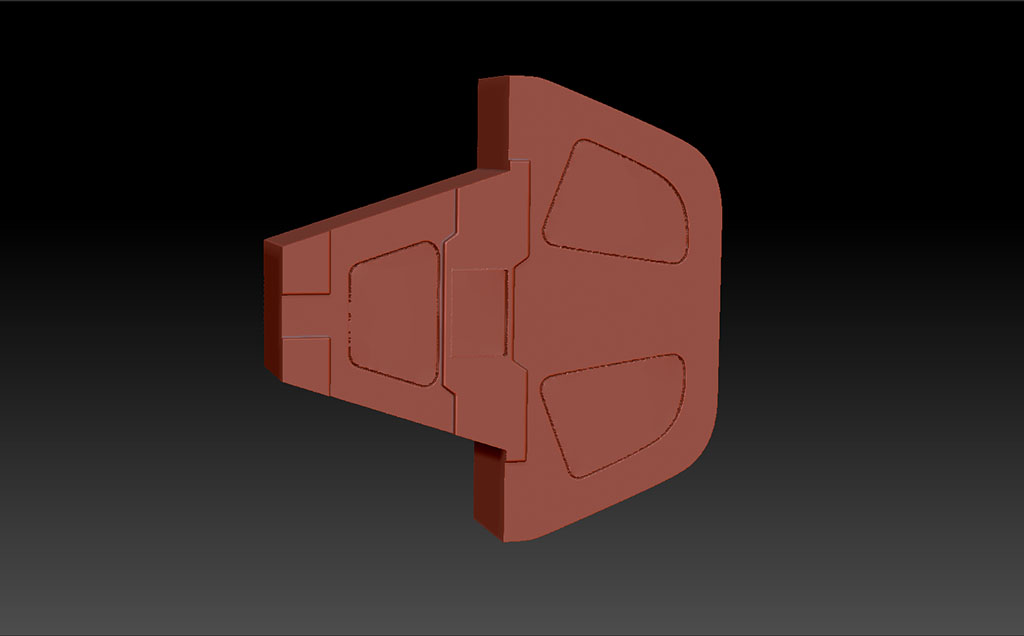
DynaMesh Error After.jpg

DynaMesh Error Before.jpg

i can’t explain it fully or well enough but i think it has to do with the fact that dynamesh spreads polygons that are the same size evenly through out the mesh regardless of detail. if the resolution is high enough, the polys will be small and so the mesh will be better able to retain details. if not, detail will be lost or “ragged” results occur because dynamesh is trying to use polys that are too big for the detailed areas. zremesher varies the size of polys so it can keep detail where it needs to.

you can turn up dynamesh’s resolution to get smaller polys to retain detail. or you can zremesh and then subdivide to get higher resolution.

i would find the right dynamesh resolution to keep the details, once you get that, when you work on other parts of the mesh and then dynamesh nothing will change except for the area you just worked on.

rather than using dynamesh to do that I could use Trim or Clip to cut out that shape.

Turn “Groups” off in the DynaMesh settings before you re-DynaMesh.

Hi Folks,

Thanks for the responses…

Zber Groups is turned off by default and as it turns out wasn’t the problem. If any of you run into this issue you can solve it by going to Preferences-Geometry and setting ‘DynaMesh Close Holes’ to 0. From what I can tell this just instructs DynaMesh NOT to close any holes it finds.

Dynamesh Settings.JPG

Thank you! This is what I’ve been looking for.

Awesome :). I’m glad I was able to help.

-J