ZBrushCentral

Dynamesh and masking question, Need advice

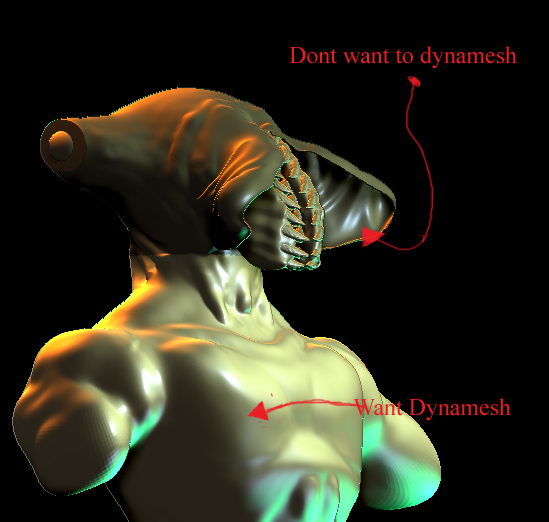
I need to Mask off a portion of my mesh that I want to dynamesh. I can’t dynamesh the whole thing because it will fill in the upper area of my mesh. I want that cavity to remain a cavity. I am adding more Geometry to the lower portion of the mesh and I need to dynamesh it to normalize the new geometry. see my Pic to better understand what I am saying. Any suggestions on how to proceed?

Attachments
dynamesh question.jpg

Duplicate your mesh.
Use zremesher for even topology.
Subdivide new mesh.
Project all.

Beta Channel, I just wanted to say thank you for the tip you gave me. I have not had a chance to respond to this thread until now. I really love project all and Zremesher.

I have been trying to get a feel for the finer aspects of the Zproject brush, but I have yet to master a settle pressure needed to get it to work right.

I will post my final render when I complete the project.

Thank you again! :smiley: