ZBrushCentral

Dynamesh and creating trim

Hello, I’m having some problems with a mesh I’m working on.

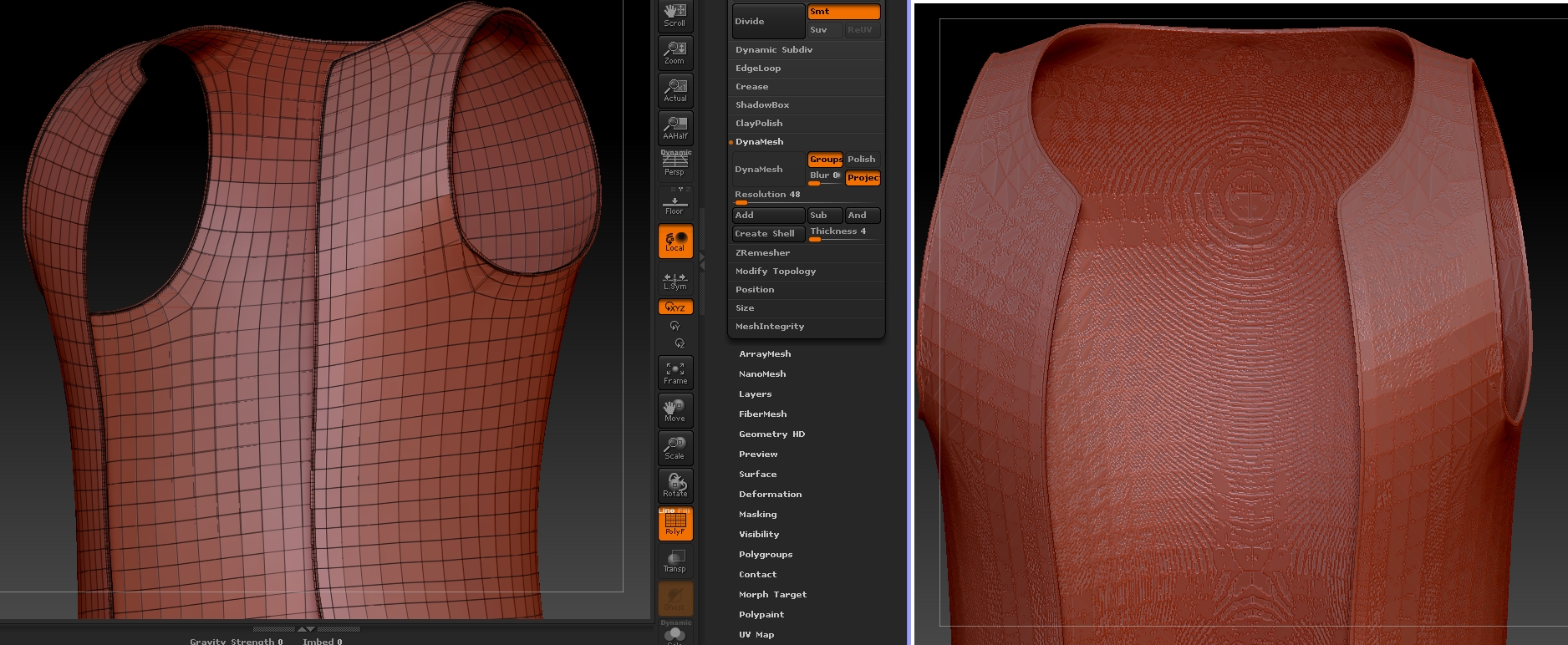
I used the curve tube snap to create some trim on the edges of a coat. Then I used ZRemesher to reduce the poly count so I could merge it with the coat mesh. I merged the two subtools, and then tried to Dynamesh them together like seen in some tutorials, but everything goes wrong. It becomes one solid block of a mesh and the polycount goes up to 17000000.

dynamesh disaster2.jpg

Does anyone know what I’m doing wrong? And do I need to merge the trim to the coat? I thought it would be better because it will be used later in Unreal 4, and potential with real-time cloth simulation.

Attachments

dynamesh disaster2.jpg

Your mesh doesn’t have depth. You need to thicken your jacket.

Thanks for the reply. :slight_smile:

Is there any chance of explaining why it doesn’t work? It does actually have separate polys on the front and back, it’s just quite thin. I put it back in Maya and changed the Z offset to make it really thick and it kinda worked better then. Then I did it again with a thinner width, but still more than what I had before. But it’s just coming out weird. I don’t even know if I should be trying to merge the trim to the coat or not.

strange dynamesh.jpg

Attachments

strange dynamesh.jpg

Go to Tool > display properties, and turn off double sided if it is on. If the inside of the coat becomes “invisible”, then all you have is a single layer of polys, and dynamesh is viewing the gaps as holes that need closing. You need to have actual 3 dimensional clothing with depth, not just double sided polys.

It’s possible that you have 3 dimension geometry, but it has become unwelded for some reason.

If you do actually have 3 dimensions, I suppose its possible that the geometry is just so close together dynamesh is getting confused. Try inflating the geometry a bit to give it a bit more body.

You can also go to Preferences > Geometry > and switch the dynamesh close holes mode to “none”. I would avoid this if possible, as it seems your geometry is already a bit problematic, and that might exacerbate the situation.

Thanks Spyndel. It is definitely three dimensional because I extruded all the clothing in Maya before bringing them to ZBrush, and Double Sided is off in ZBrush too. But I have made it very thin.

I understand the problem better now. I’ll bring it back into Maya and look for holes or unwelded vertices, and if not clean it up and re-extrude it. Thanks again!

It’s not unheard of for geometry to become unwelded as part of some import/export process, so you need to examine it in zbrush as well. Activating dynamic subdivision should reveal it because unwelded borders will shrink away from each other when smoothed. But you can also isolate a single polygon, hide everything else, and click Tool> Visibility > Grow All to see what it’s actually connected to.

If all the verts line up, you should be able to weld via Tool > Modify Topology > Weld Points

Barring an issue like this however, if your normals are all facing properly, you should be able to easily inflate the coat a bit with Tool >Defomation >Inflat, which should give dynamesh enough information to make better decisions about what to do.