ZBrushCentral

ds max/zbrush uvm breaks each polygon

Hi,

the more you work with the programs, the more errors you run in.

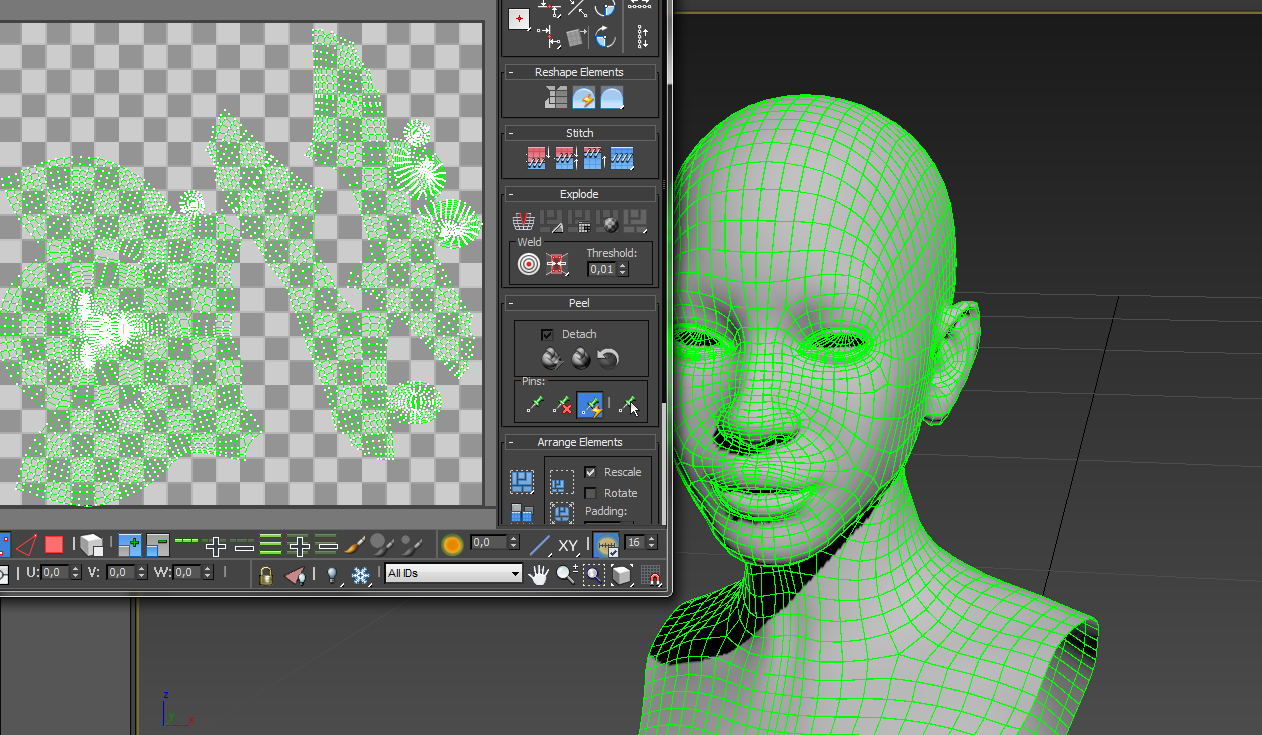
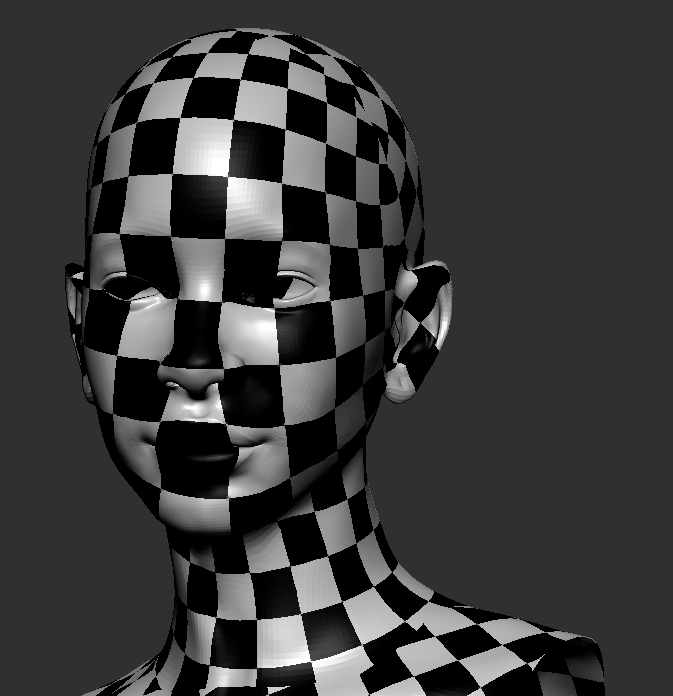
While my mesh is perfectly fine in zbrush as you can see at the bottom, it isnt anymore after i export it to 3ds max.

In 3ds Max it breaks apart all islands. In Zbrush i tried to export with the MRG(merge) button and without.
Unfortunately it did not work.

I export with multimap exporter.

uvs in zbrush not broken.

broken uvs after importing.

btw Maya does the same thing.

all help is needed and welcome.

thx

Attachments
awdawd.png

wefwef.png

I normally use GOZ and never found any problem. If you are importing instead using GOZ it could be some of the import settings of MAX. You don’t mention what format are you using, I guess OBJ. You could try FBX but again the best option if possible is GOZ.

Also you mention UVs are broken, but your Max window shows normal UVs, no broken. The islands you have in Max are the same than in Zbrush.

thx for your respond,

Yes i use multimap export option and chose OBJ for the mesh.

You are right, theyr not realy broken but unwelded. The UV islands are on the right place but theyr all unwelded.

While this is only my base mesh i tried to project my current details on the first base mesh and that is working and not splitting all uv polygons.
So this is no solution but it is helping me at the moment that i can go on with my work.

The problem with the unwelded uvs is that zbrush where i generate all my maps from is generating the maps with the unwelded uvs, as a result u get some little problems with the rendering.

So welding the uvs in 3ds max after exporting all my maps is no option, because the maps like displacment map or bump will not line up perfectly even if it looks like the same uv islands.

Islands are obviously unwelded as they are separated, but the same would be in Zbrush. Do you mean each individual polygon, not the edges of the islands?