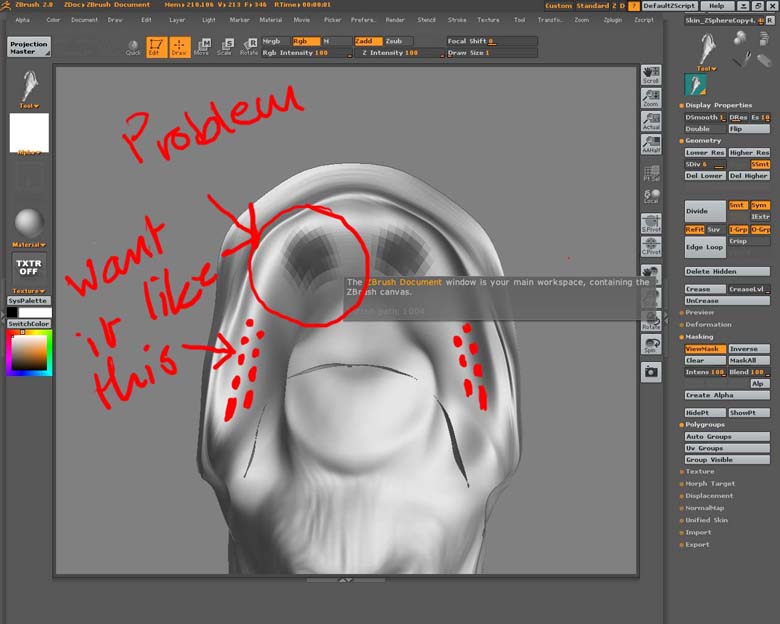
 hi I seem to have a little problem. When trying to mask out where my teeth are going to be I cannot get my mask any smaller than in the image (circled). I want them to be about the size of the red dots drawn in. My draw size is 1. Is it to do with the size of my model.
Have you tried scaling up the model?
As marcus_civis said, by doing Tool>Deformation>Size with a value of 100 a time or two, you will reduce the size of the editing brush in relation to the model.
However, you’re going to need to subdivide the model at least once more to get the masking that you’re looking for. You don’t really have enough polygons right now to get good results, regardless of brush size.
If your model has been UV mapped, another thing that you can do is create a white texture for the model and use Projection Master to paint your mask as black spots. After you’ve painted the texture, press Texture>Make Alpha, Alpha>Invert, and then Tool>Texture>Alp to convert what you’ve painted to a mask.
Of course, you still need enough polygons to support the detail that you just painted.