ZBrushCentral

Dozens of copies of "FastShader" material appear in palette of saved project file

I have been working on a project created in 4r8 p1. Tonight when I saved the latest iteration as a project file, the materials palette went nuts, appending dozens of copies of the FastShader material as well as 2 more copies of Flat Color. When I open zbrush fresh and look at the palette it apears normal. If I load the model as a tool and look at the palette it is normal as well. If I save a project from this freshly loaded tool, the error appears again. Anyone have any idea what could be causing this?
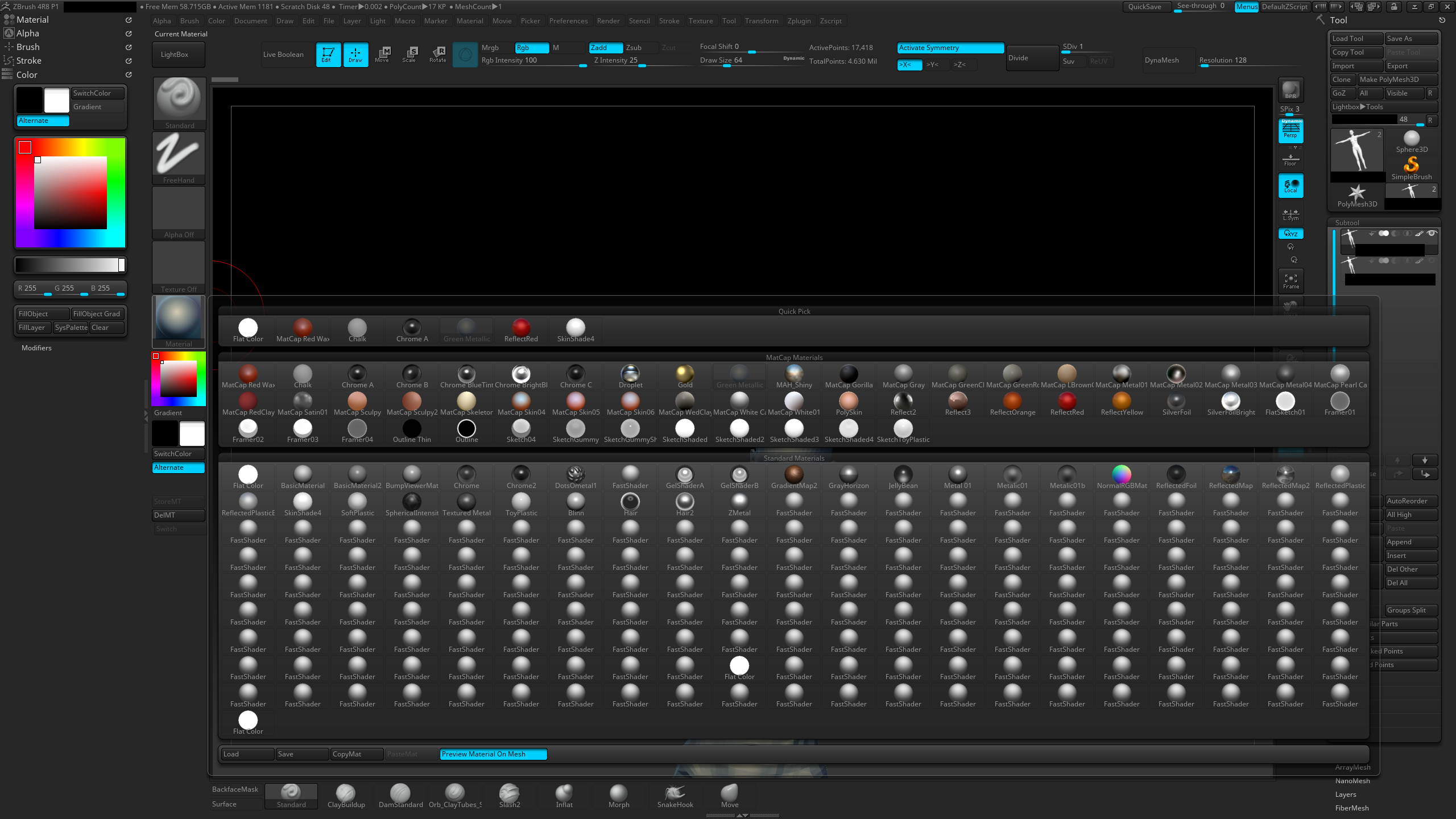
Thanks

Attachments

I am having the same issue. Have you found a solution? Thanks in advance.

I wanted to wait until I was able to reproduce the error, but I have been unsuccessful. In my case the error was isolated to one of my sculpt layers. When I deleted that layer it got rid of the error. My workaround was to store the sculpt data on that layer as a morph target, then transfer the sculpt data to a new layer using the morph brush. I then deleted the old layer, and the error was gone.

I think the problem has to do with the mrgb/rgb setting somehow. It almost appears that at some point it started spawning new shader copies with each brush stroke. I still have no idea why brushes seem to have rgb turned on by default. Not the state I would prefer at all.

I hope some of that helps.