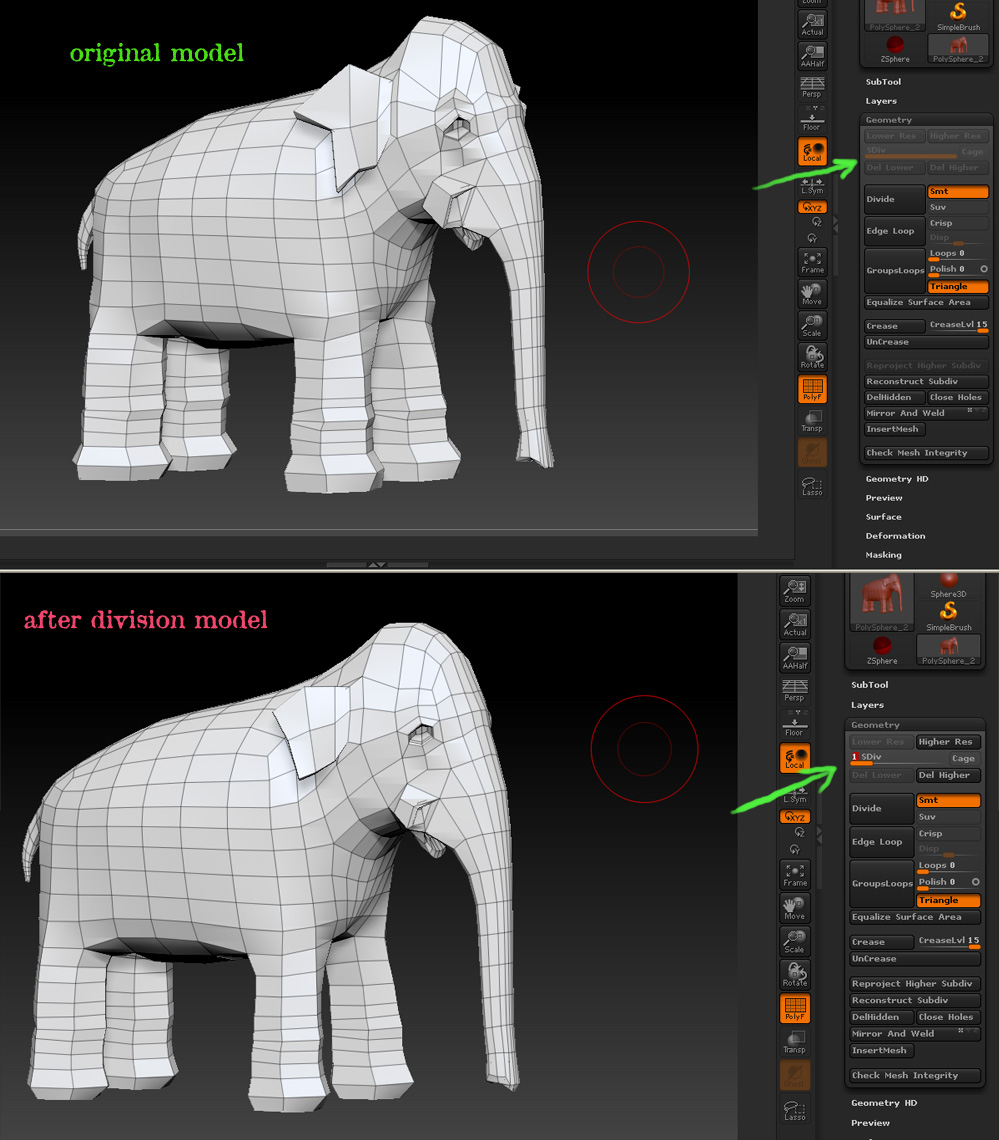
When you divide a model, two things happen:
- Each polygon is divided into more polygons.
- The surface is smoothed, which also includes contraction of the mesh.
This happens with all programs that use Catmull-Clark subdivision. (Which is most all programs.)
Now the thing about ZBrush is that it has multi-resolution subdivision editing. When you change between levels, all changes made at the current level are translated to the other levels. So when you return to level 1, the contraction and smoothing that happened at the higher levels is translated to that level with the results that you show. This feature allows you to make changes at whatever level is most appropriate for those changes. For example, you can decide that the trunk needs to be longer, so you drop to level 1 where you can move just a few points. When you return to the highest level, any sculpting that you’ve already done at that level will be moved to fit the new shape. It’s a non-linear process, giving you more freedom to change your mind or try new things as you work.
However, there are times when you want level 1 to remain unchanged. For example, if you’re going to be exporting displacement maps from ZBrush. There are two very easy ways to handle this:
- Before dividing your model, press Morph Target>Store MT. Later, when you return to level 1 and want that original base mesh you simply Switch morph targets.
- If you didn’t store a morph target prior to dividing the model, you can do so when you return to level 1. Then immediately import the original version of your model, which will update level 1. The reason you store a morph target prior to doing this is so that you can Switch away from it if you need to go back to the higher levels. (See below.)
Just remember that if you intent to return to the higher levels for any reason you should Switch again or the new/original level 1 shape will be interpolated back across all levels. (Remember that this only happens when you change levels; not as your actively working at a particular level.)