ZBrushCentral

Distorting when I rotate and merge subtools???

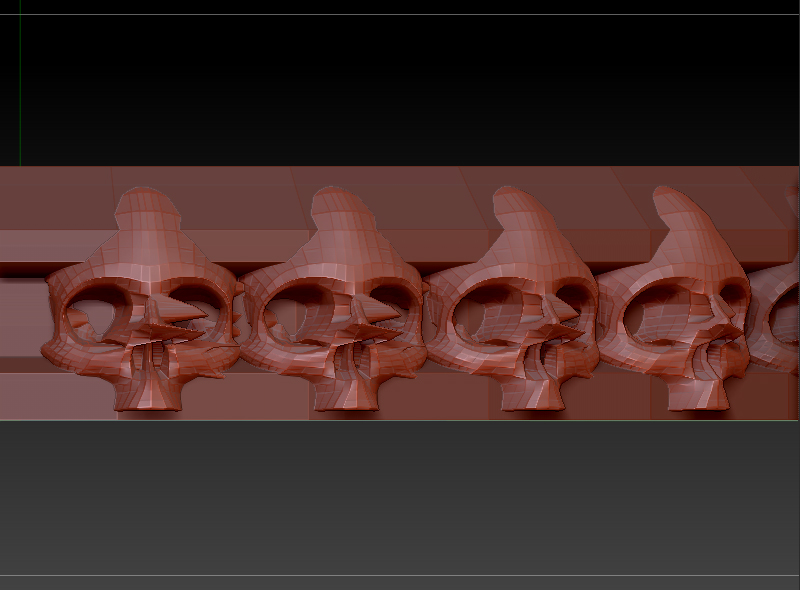
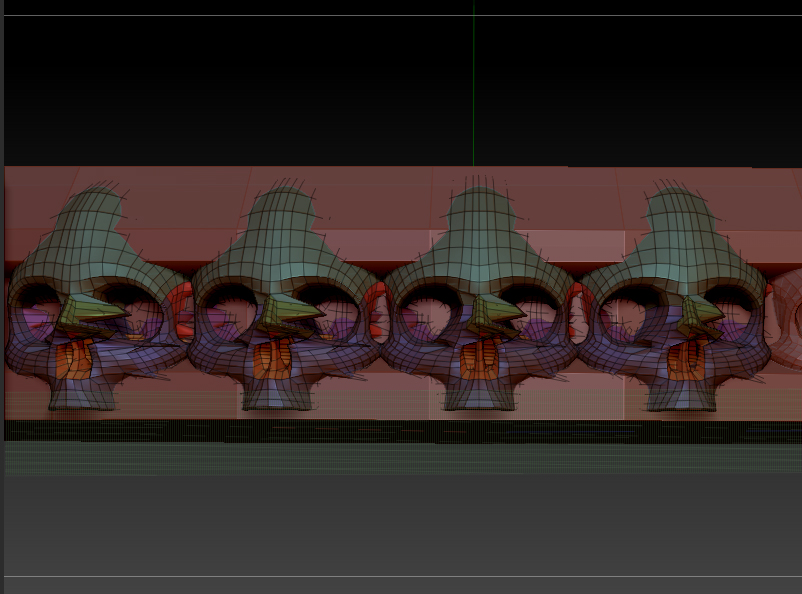
Hello everybody! I am trying to surround the edge of my base with skulls. I have one skull and I am inserting duplicates and rotating using Deformation>Rotate with Y selected. I am merging the skull subtools every time I rotate to finish it quickly. I noticed that every time I rotate, a part of the skull starts to get distorted? I thought I had a mask on but I don’t. Is there something that I need to select or unselect so it will not get distorted. I have attached the images. You can really see the distortion on the bridge of the nose. Any knowledge would be great! Thank you!

Attachments
poly_skull_base.jpg

skull_base.jpg

No hidden polys that might be masked? In any case, why are you inserting and rotating when you could just turn on radial symmetry?

I’m really new and trying to figure things out right now. I do not know how to use radial symmetry at this point. Thanks for your help! I will look into learning how to use the radial symmetry function.

Sometimes people forgot what it’s like to do something for the very first time! If you’re using R5, Go to Transform (at the top menu) and click Activate Symmetry, ®, and adjust your Radial Count.

Thank you! I appreciate your help!