ZBrushCentral

Display Issue?

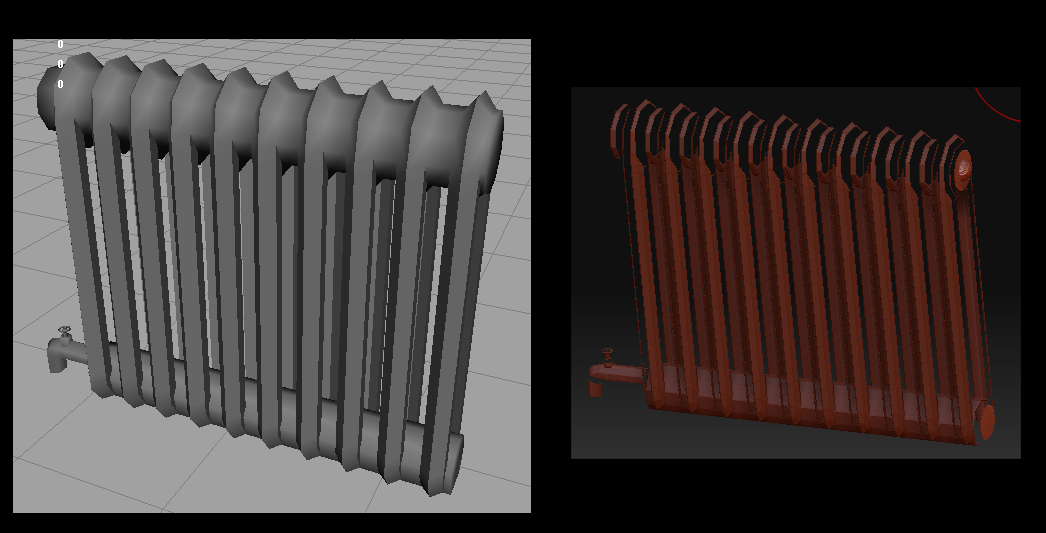
I’m not exactly sure how to put my problem into words, because i’m still not sure what happened to the object I’m working on. I’ve got an object that I imported in from maya as a low poly, and then I subdivided it and used uv grouping to make the different uv projections into subtools. I went to work on a specific part of the model, and when I made all of the subtools visible again, the object looked weird, almost like it got smoothed in a weird way that made the different subtools not connect with each other. I tried opening earlier versions of the scene, but those look funky as well, so i think it may be some display setting i accidentally messed with. The screengrabs i’m including might speak more than any words i can use. If anyone could take a look and let me know why it is looking the way it is, how i might have accidentally caused it, etc., I would be extremely grateful.

The image on the left is how it looks in maya, and the one on the right is how it looks messed up in zbrush.

Attachments
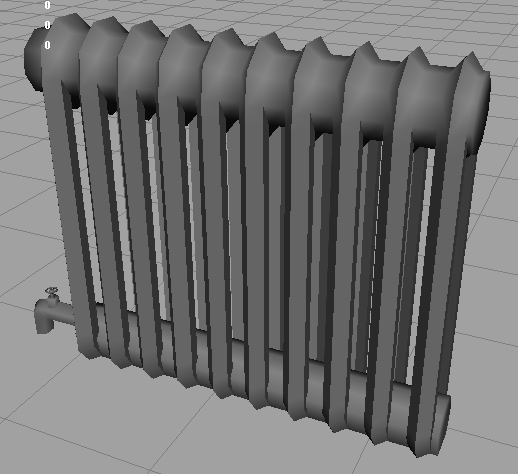
before.jpg

sorry, uploaded the wrong pic and it wouldn’t let me change it. :cry:

Attachments

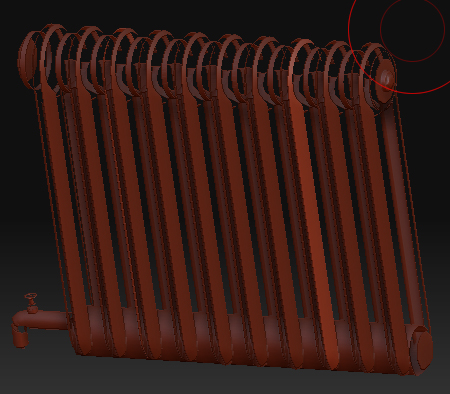
both.jpg

Looks like you have inverted faces in your mesh… Try in zbrush Tool>Display properties > Double

I’m a Max guy, but I think Maya has some sort of check box or something in it’s OBJ export window that insures your mesh gets exported as once piece vs being split into unwelded bits. That may be what happened.

Just to clarify, you use different UV spaces to make polygroups, not subtools. If, in fact, you did split your model in to multiple subtools, then that’s why you’re getting these results.

Regardless, you obiously have multiple parts, and as you subdivide each bit contracts a little so they start to separate.

Okay, I tried the double faces option, and it only helped very slightly. And I know its not an importing issue because it was working fine at first when it was in zbrush. I really think its some display issue because my earlier saves of the object have the same issue and i KNOW that they were fine at one point. Any other suggestions? Here’s a pic of the slight improvement from checking the double faces box. Not even sure if there’s a noticable difference…

btw, the new pic is after the object is subdivided. The pics from before are before it’s subdivided, proving that its not a smoothing issue.

Attachments

new.jpg