ZBrushCentral

Display Glitch

I am having problems with the display in Zbrush. Any time I bring in a new tool or change my selection it freezes and I have to rotate or move my mouse over to clear the screen.

Also I lost one of my models to do this error.

Are they related? I searched and found several threads with no solution. I have reinstalled as admin (which I am but wanted to be sure) and have over 100gb free.

The ztool I cannot open is only 200mb.

Attachments
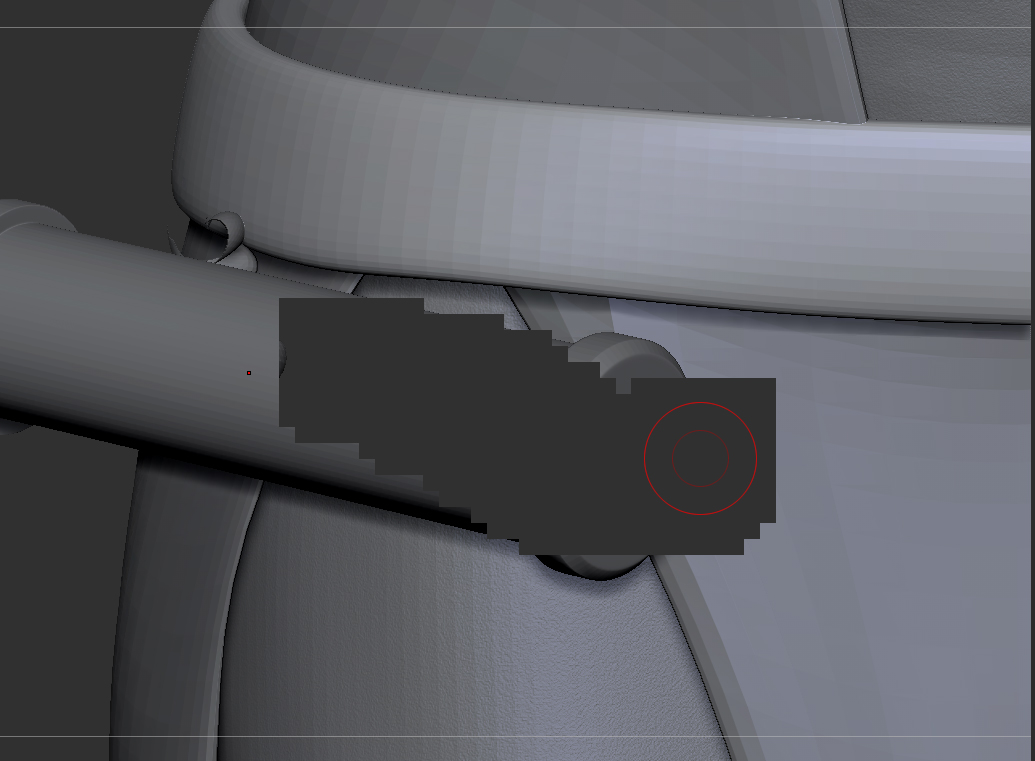
wtf.jpg

wtf2.jpg

What do you have for a graphics card? I have seen the display sort of exhibit what you may be talking about(refresh rate?), I think it may be normal? As far as the tool, you may be out of luck.

I have a pretty decent card. Geforce GTX 570

I have something like the display issue, its sort of an old one that was partially fixed a while ago.
Try hitting Control N on your keyboard if you are working in 3D.
The old version of this bug was insidious and happened if you moved your mouse to fast or something, in other words it was constant.
What is happening is that for some annoying reason random crap gets dumped onto the canvas.
The problem with Control N is that if you are doing 2.5D work you are screwed.

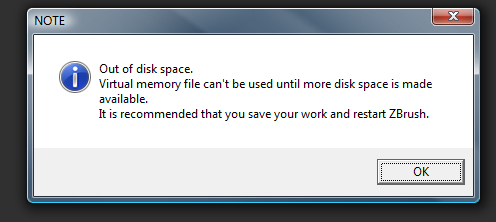
The virtual memory thing is frighting, how much disk space have you got?

cntrl N works. kind of a pain to be spammin it all the time though.

200gigs free on the drive

I agree but its FAR better then the old version of that bug. How often is it happening?
The disk thing seems weird, have you mentioned this to support?

it happens constantly - every time i move the mesh

Oh…
What version of ZBrush are you in?
The latest is 4r4p2.

anyone know what causes this? i have zbrush 4r5 and it still does this. it can be completely unworkable at times

so this is still happening over a year later. any solutions?

still nothing?

everything keeps getting dumped to my canvas and i have to manually clear it.

Maybe you’re hitting Shift and s and snapshoting to the canvas? It can be done accidently.