I did search the forums for similar problems, but couldn’t find any thread about it.
Basically I have been sculpting displacements for a model and I have up till now exported displacements that seemed OK, but were a bit weak. The reason for this, I believe, is because when I sculpt in a higher subdiv level and step back, the base mesh is altered by the sculpt and the distance between the base and the sculpt is not that high.
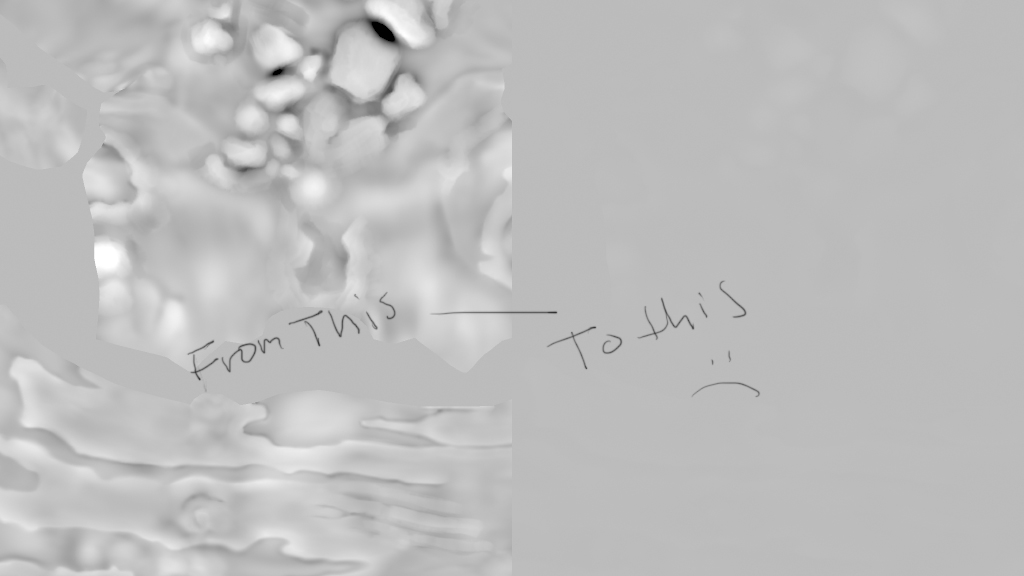
Therefore I stored the Morph Target of the initial base mesh. When I try to export a displacement map now it is really weak… we’re talking 1/1000 style. This goes even if I do not switch to the base MT so I must have been doing something else to affect it. I think it is tool dependent since it does not seem appear with a test sphere. Also, if I append this tool to another tool that has the disp working and I try to export a new one it works. I will continue working on the model like this for now, but I really, really want to figure out what I did wrong because I do not want to deal with this later in the middle of the production… So what could I have done that is tool specific to provoke this?
My extraction settings:
Adaptive: Off
DSubPix: 0
SmoothUV: On
Flip V: On
3 Channels: On
32 Bit: On
I’m pretty sure these settings are the ones I have used earlier, but since this happened from one version to another I must have done something wrong setting wise or something. Does anyone have experience with this? Or if people could post their checklists when exporting Disp so I might see something that is wrong compared to my scene?
Check the image to see the major difference in the disp. You can almost not see anything on the one to the right…
[ ]
]
I can not work any more until I solve this issue so all help, even though you might think it’s too obvious, please shout out…
-M
 Thanks for the link btw.