ZBrushCentral

Displacement spikes

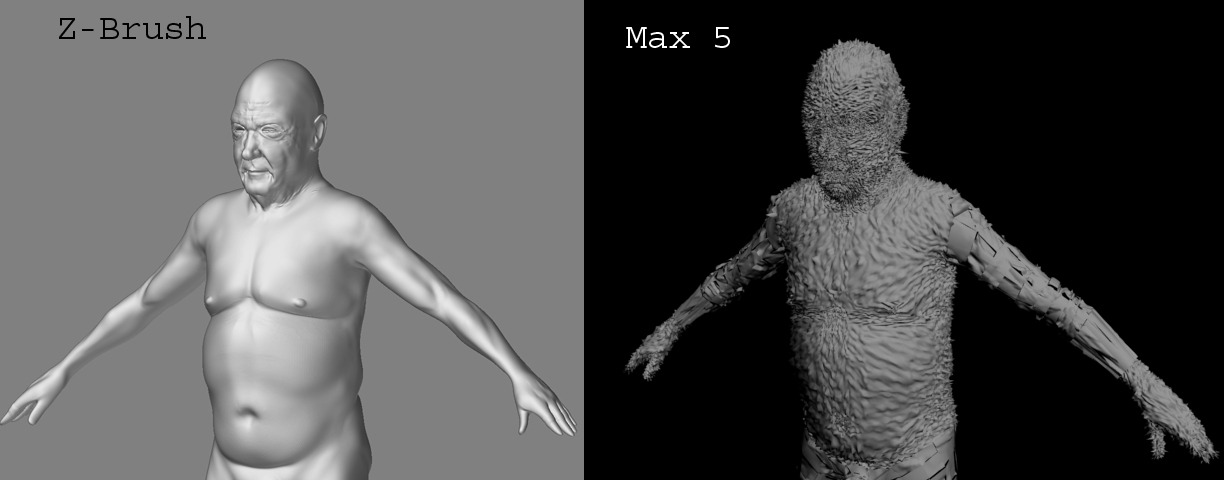
I could use a little displacement help here. I have tried at least four tutorials involving Z-Brush to Max displacement. I am using Max 5, and haven’t had any sucess in getting good results. At first the displacement seemed to break the mesh into individual squares and pushed them outward. Now I am getting spikes. Can anyone explain why this happens?

Alph
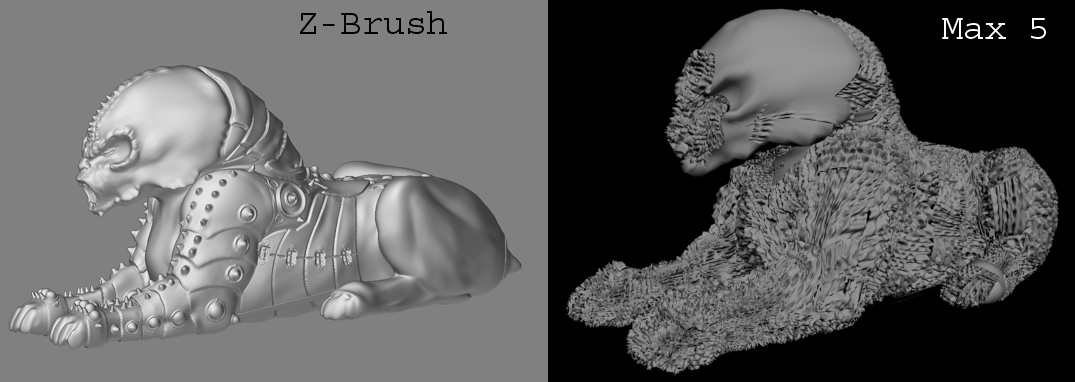
sphinx_rend.jpg

Attachments

sheriff_rend.jpg

try vertically flipping the displacement map (tiff?) file. its should say in a MAx specific tut what orientation it needs… vert is the most common.

I did try flipping the displacement map. It still produced spikes. I think that what I did wrong was to export the model without assigning AUV or GUV tiles to it. I just assumed that Z-Brush automatically assigned UVs to a model once you started to subdivide it.
I did get the proper displacement using the test head and sword files downloaded from this forum, so I knew I wasn’t making the error in Max.

Alph

zbrush does assign GUV’s i think, or AUV’s to models without UVs assigned. I’m a bit confused about your workflow - but that could be St. Patricks fault. To keep it short, when exporting a obj from zbrush ive found u need materials and groups checked in the export palette to get UV’s. _ken

If you start with a parametric object, the UV coordinates are already assigned based on the object’s shape.

If you start with ZSpheres, the skin will have AUVTiles assigned based on a default texture size of 1024x1024. If you plan to use a different map size, it is advised that you create a texture of that size and then press Tool>Texture>AUVTiles or GUVTiles to recalculate the UV’s for that particular size.

If you import a model, ZBrush does nothing to the UV’s by default. If there are no UV’s on the model when you import it, ZBrush will not calculate any unless you tell it to. This is because ZBrush has no idea what your intent is with the model, or what texture size you will want.

Thanks Aurick, that’s just the information I needed to know.
I usually create the model in an outside program, assign UV’s there, then import into ZB for modelling refinement. Both the old man and the sphinx model had UV assignments, so I still can’t figure out why I’m getting the spiky effect.
I am using the same workflow on my most recent models, however, and I am getting good results.
I still think Z-Brush is the coolest software I’ve ever purchased.

Alph