ZBrushCentral

displacement problems with a twist! i promise.

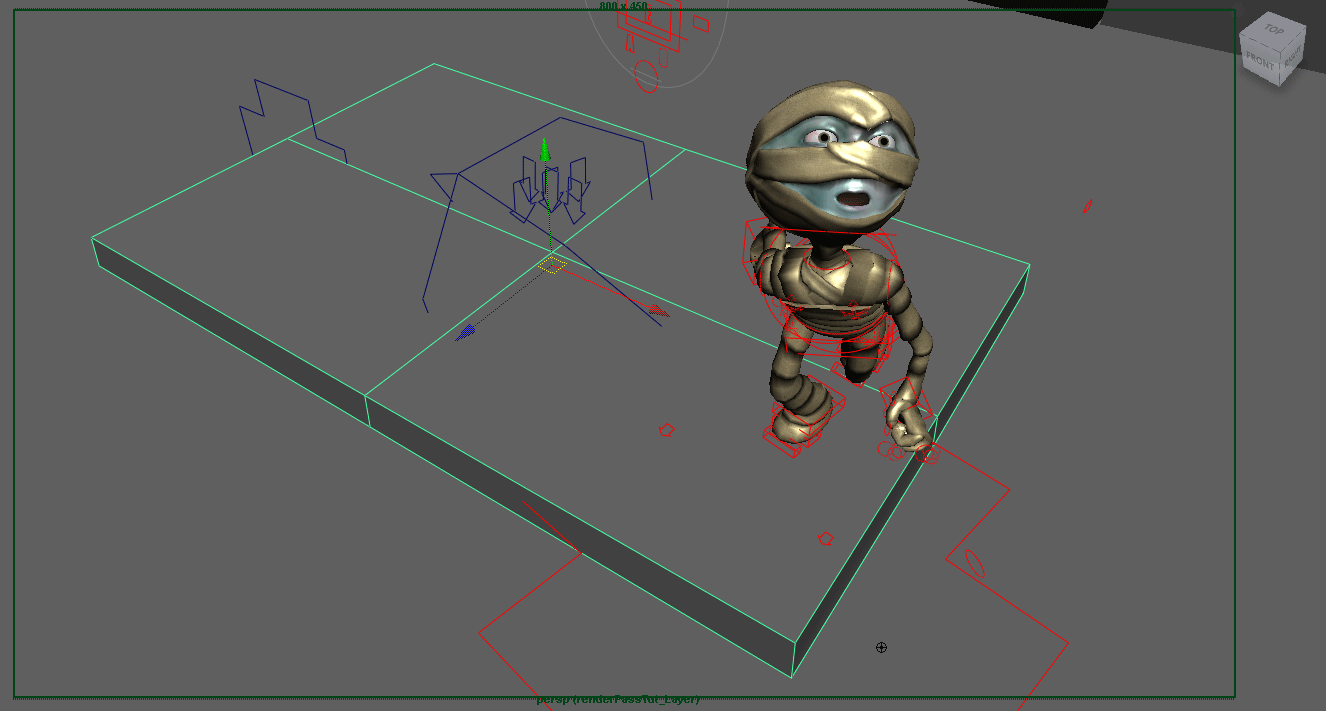
i’m sorry to have to do this but i’m at my wits’ end on this thing. i’ve posted two images that should help me illustrate. the first is a viewport screenshot that shows a character and piece of floor tile geometry. both have mental ray displacement nodes applied, nothing fancy. actually the character has 3 displacement nodes.

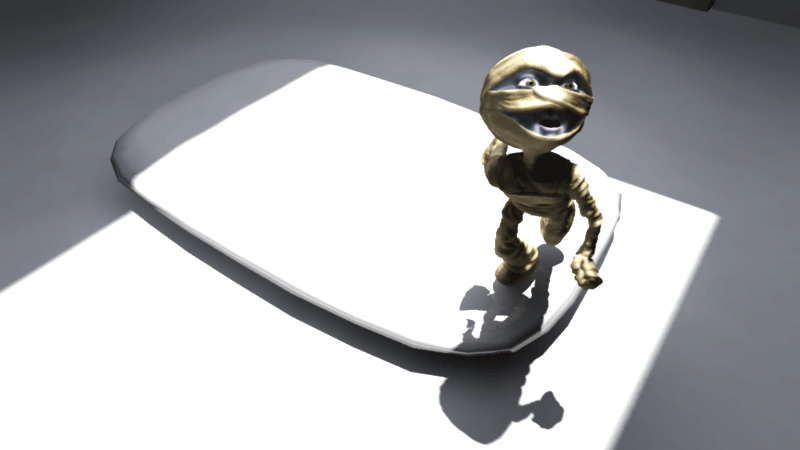
the second image is a mental ray render. notice the character’s displacement nodes is working well, while the floor tile’s node is not. i can’t post an image of what the floor tile is supposed to look like right now, just take my word for it when i tell you it shouldn’t look like a suppository. as you can see by the mummy character, i know how to render successful displacement, so none of the standard fixes are warranted (although i tried them all anyway). beyond the standard “mental ray displacement problems” checklist, here are a few things i tried: i’ve trashed maya, trashed my userPrefs mel, i’ve rechecked welds, UVs, normals, tried with maya-generated geometry, tried with zBrush-generated geometry, tried with maya materials and mental ray materials, “exported all” and imported into a new scene. tried it in vista. the one piece of info that i hope will crack this nut is that the floor tile is brand new. i knocked it out in a few hours a couple days ago. the character, on the other hand, was rigged for animation two months ago. now i know what you’re thinking, just duplicate the working approximation node, or plug them both into the same working node. no dice. oh, and once again, i’m running maya 2009 sp1a on win7 64bit. my box is an early 2008 mac pro with all the goodies.

i hope someone reads this
and thank you.

Attachments

Capture.gif

withDisNode.gif

First thing that comes to mind is LOD. Your floor doesn’t have much fidelity in terms of how many divisions you’ve given it. You can see that even the subdivided version is pretty faceted. Displacement needs a pretty dense mesh in order to look good. Some apps require that you subdivide up front, others will subdivide at render time. Max allows for both, giving you a choice. I can’t speak for Maya. So I’d try adding more segments to your floor.

thanks for the snappy response. i’ve tried that route without much success. i can pull out the general shape by using a basemesh of 500 or more polys and cranking up my approx node settings to something like length/dist/angle of .001, .001, 90 and a min/max of 5/6 or 5/7. i suppose i could continue down this road, further subdividing my basemesh and cranking my approx node values, but i think the performance hit would be too great for my pipeline.
i’ve looked around the forums/guides/manuals for some rules of thumb regarding minimum basemesh requirements for proper full-res 32 bit displacement mapping. (i smell a set of in-depth trials coming on) i’ve found a couple threads about how too much geometry can screw with your disMaps by taking up too much UV space, but not vice versa. oh well. maybe i haven’t dug deep enough yet. thanks again.
after endless imports/exports and map generations i’ve decided to loose the maya disMap node altogether. i can achieve the desired results using a JS_displace_edge node, keeping the shader pure mental ray up and down the line. after some tweeking i’ve got it looking good and rendering really fast. i may replace all of my maya displacement nodes.

but that doesn’t mean i’m not curious about a solution.