ZBrushCentral

Displacement not consistent in zbrush...

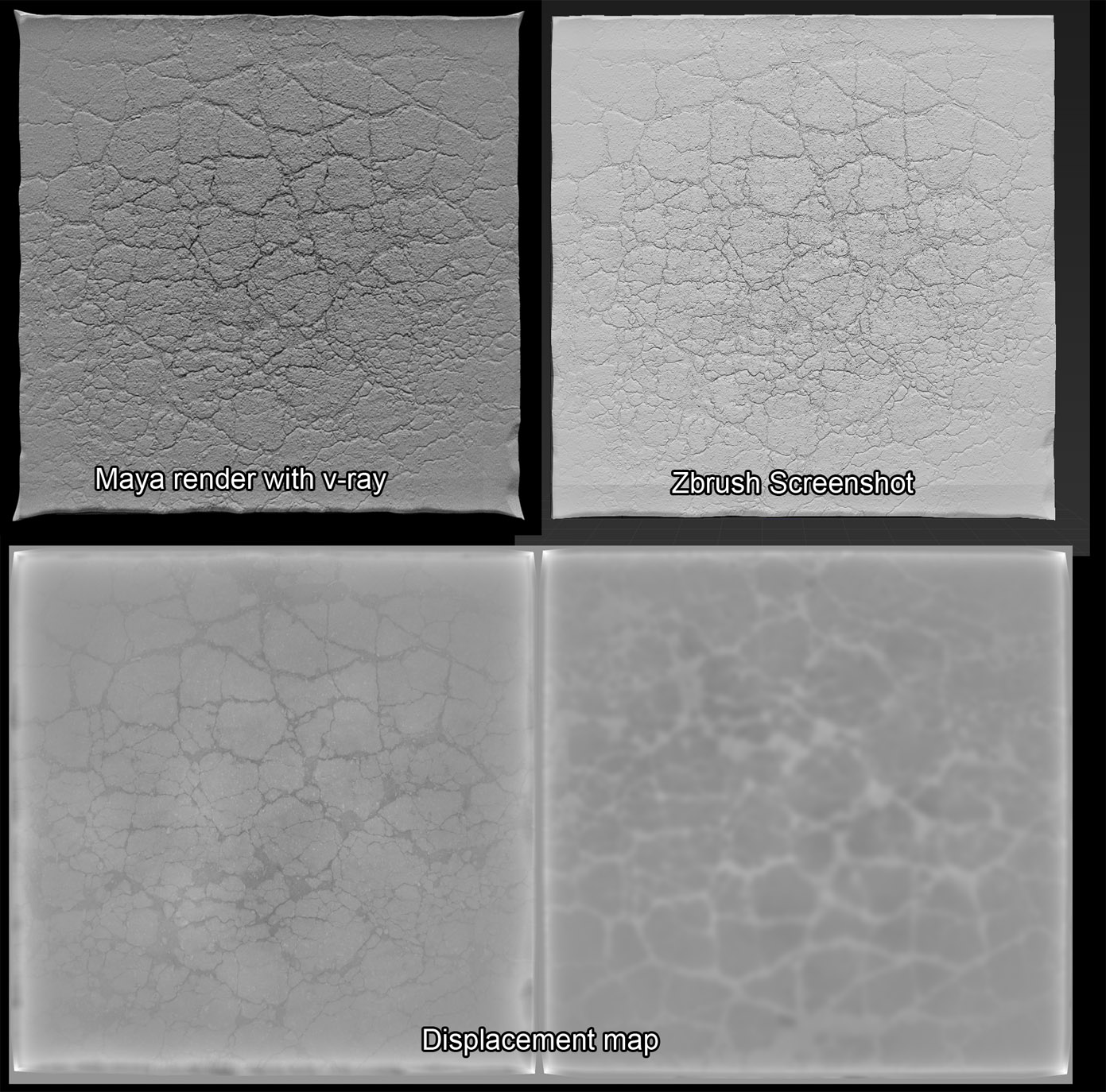
So I’m fairly new to zbrush. I’ve been trying to export displacement maps. Strange things keep happening though. Corners and edges get way distorted. Check out the image I attached as reference.

From what I can tell, it looks like the corners poking out is a result of the displacement map being rendered out that way. Why wouldn’t the displacement map render out to create a shape like it shows in zbrush? Why the pokey corners?

Also I had to do a fair amount of tweaking in vray (for people who are familiar with the vray alpha offset). Usually I just turn the alpha gain to 1 and the offset to -.5 but in this case the displacement was way too extreme and I had to adjust the alpha gain to .25 and the offset to -.125.

Shouldn’t you be able to get a consistent displacement from zbrush where you can have render settings that would work for any displacement map?

Any displacement advice would be appreciated. I’m trying to get a workflow sorted out.

Thanks for your help!

Attachments
displacement.jpg

you didn’t say what software you’re using.
I believe goZ works with displacement maps
what settings are you using for your UVs when you subdivide? Are you smoothing the UVs? are you preforming the same opperation in whatever 3D application you’re using?

I’m using zbrush 4r4.
The 3d package I would be exporting to would be Maya 2012. And I would be rendering with the latest version of vray.

The settings I am using would be turning on adaptive. And flipping the image vertically.
I have tried smoothing the UVs but that hasn’t helped with the white areas.
I haven’t bothered spending a lot of time in my 3d package because I can see the white spots right in the displacement map that no amount of tweaking, short of painting them out in photoshop will help.

I did a test last week and this is what I came up with.
I have a rectangle with a texture painted in on one side. It looks like this:

This rectangle has 11 subd levels.
This is what it looks like when I export the displacement at each subd level.


Now this doesn’t begin to make sense to me. But perhaps someone could explain it as I’m pretty new.
If I were to export the displacement at the lowest subd level there is virtually no detail exported. And them higher the subd level I export it from, the worse the artifacting gets (as you can clearly see in the 2nd, 3rd, 4th, and 5th displacement level exports. Since there is absolutely no displacement on the back or sides of this model, why should there be white regions on the side that will poke out when I render it? Shouldn’t that all be at a 50% gray?

Please advise.
Thanks!