ZBrushCentral

Displacement Maps DpSubPix level 3

Sorry to be annoying here, but…I got another question.

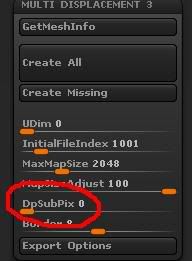
I’m not sure if its normal or not, but when I exported my displacement map using MultiDisplacement 3 I noticed when I set the following:

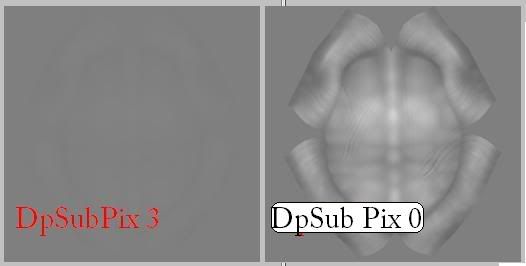
DpSubpix “0” I get a displacement map that I could see just fine.

but when I set it,

DpSubpix “3” I get a barely noticeable displacement map. You see mostly just a grey map.

Is that normal? Or am I doing something wrong? Isn’t the higher you set it, the more detail you get? Here’s a picture below.
How many polys does your model have at the highest level? What size is the map that you’re exporting?

Hey Aurick,

I’m actually not sure how to check how many poly’s I got on screen with Zbrush.

SO I brought it over to Maya and checked it. It says I have
901,120 triangles.

The highest subdivision on that shell in Zbrush is level 7. So that is about 901,120 polies at level 7. Mapsize I’m exporting is 4096x4096.

I get that clear easy to see displacement map when I have my DpSubpix at 0, but when I set it to 3, I get that flat looking grey map. I don’t know if that grey map is normal or not for something at that level.

Is it necessary to even go beyond 0 in subdPix?

I just got this email from Scott Spencer. If someone else runs into this bug, let me know. :slight_smile:

"Actually that is a ZBrush bug you found. Use a DPsubPix setting of 0 to get your details correct. Anything higher and they will not be in the map. Its an annoying bug and i hope it is fixed soon :slight_smile: "