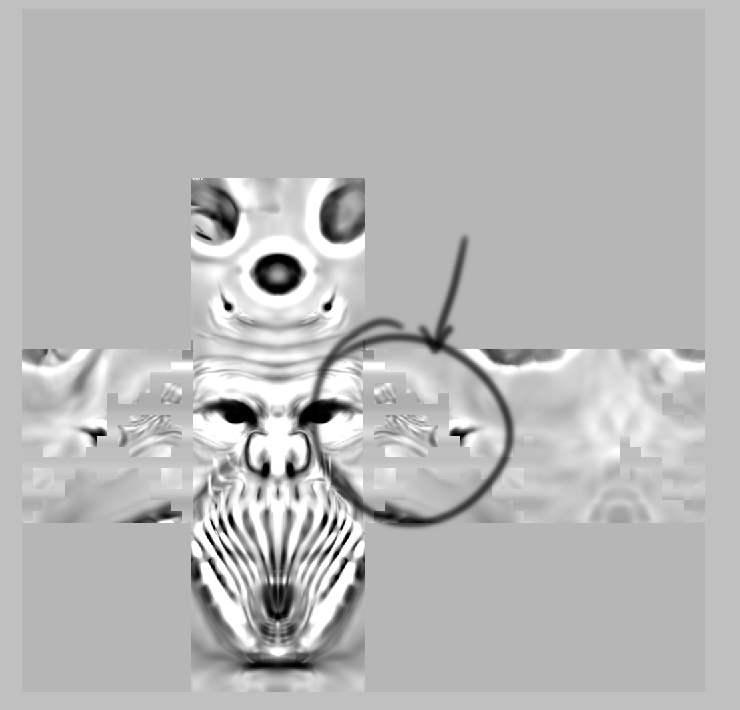
i have a model ,i create a dispmap but there are some planes that they get on the displacement map …why???
a picture is worth a thousand words
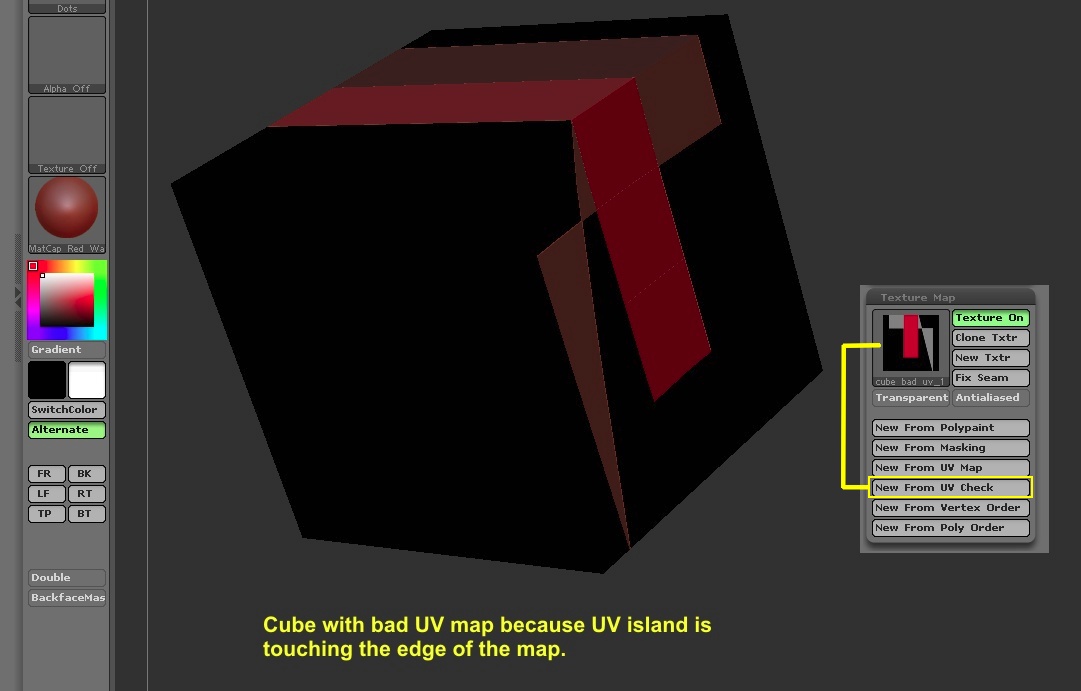
Check your UV Map. Go to Tool > Texture Map and click on ‘New From UV Check’ (New From UV Overlapping Check). If you see any red in the resulting UV texture, then the fault is with your UV Map.
and how can i fix the uv map??? (thanks a lot for your help here)
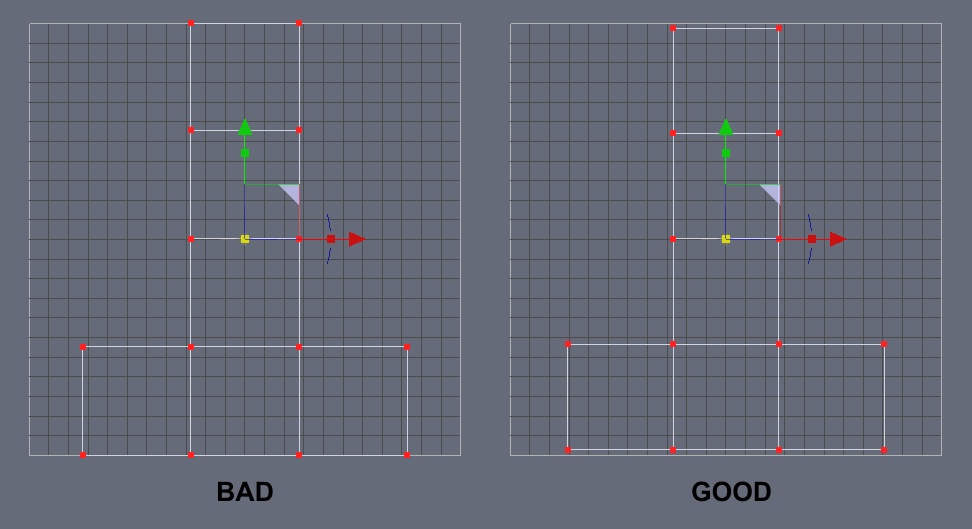
ZBrush doesn’t like any of the UV islands touching the edge of the map. They have to be inset from the edge a bit.
In case you didn’t know what I meant, see the image below.
how can i control the edges?
did you do the uv map in another app?
no…the process was:Tool>uv map, to set uv map size ,after that Displacement Map>Create DispMap and there is when the problem came out
How did you create the UV map? Did you use UV Master plugin?
the one show you wasn’t made with UV master …but i made one with UV master and it was right ,but i wasn’t able to assigned it to my model in max…but with the one i show i was …( but it was wrong)
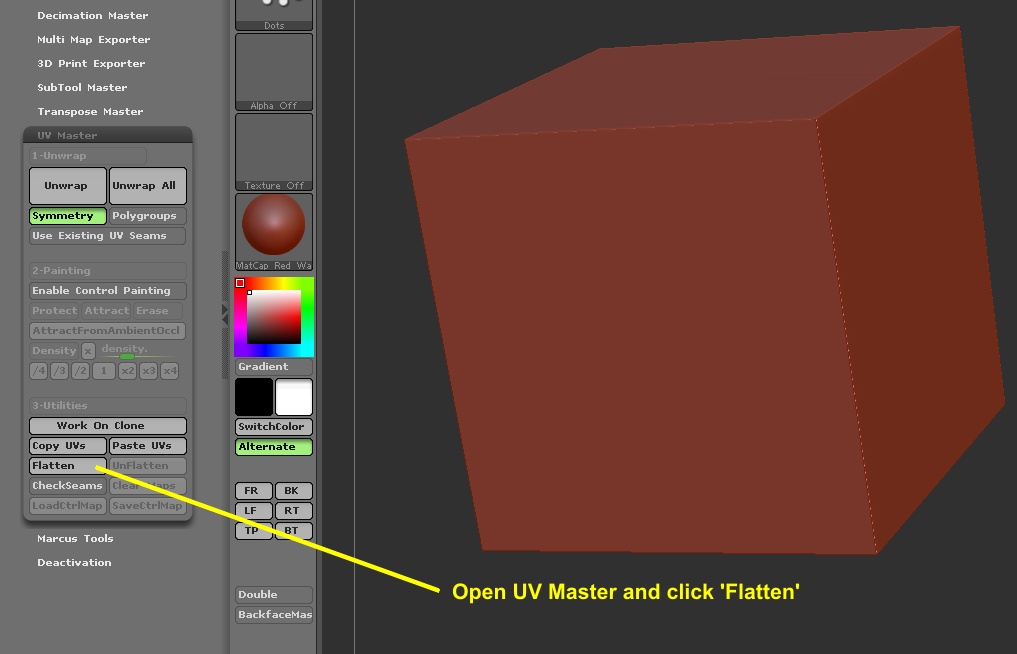
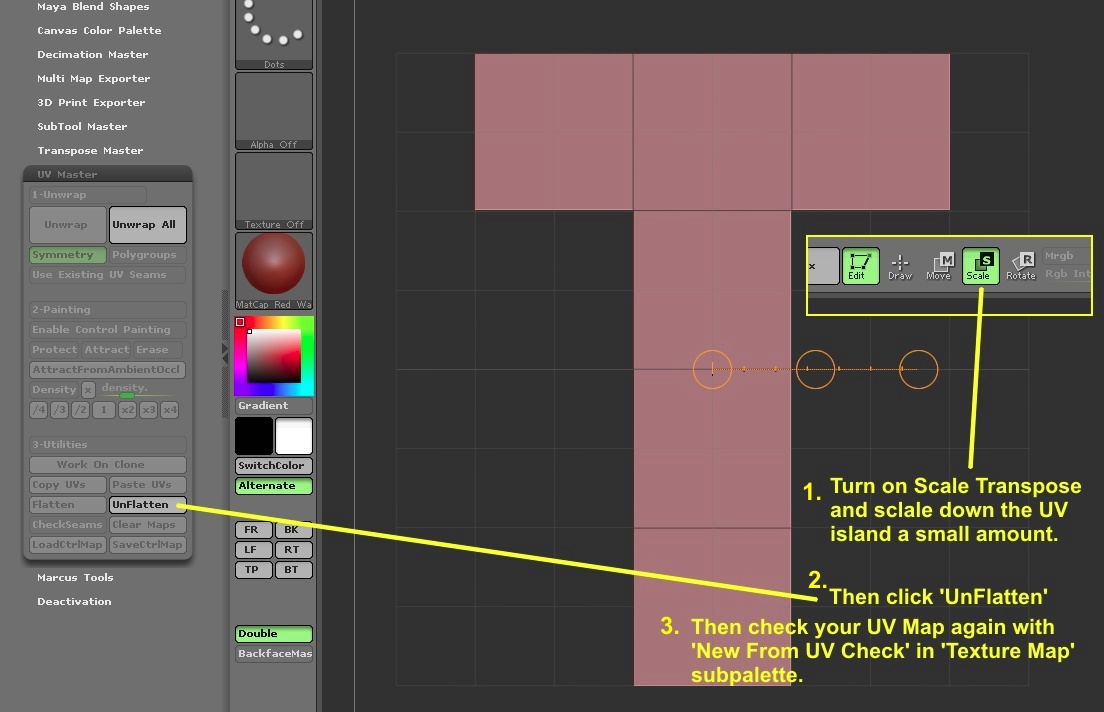
Well, you can fix the UV Map in Max by scaling down the UV island or you can do it in ZBrush using UV Master. See images below. I don’t have Max, so I can’t explain to you how to do it there.
I MADE IT !!! thank you very much
 small_orange_diamond