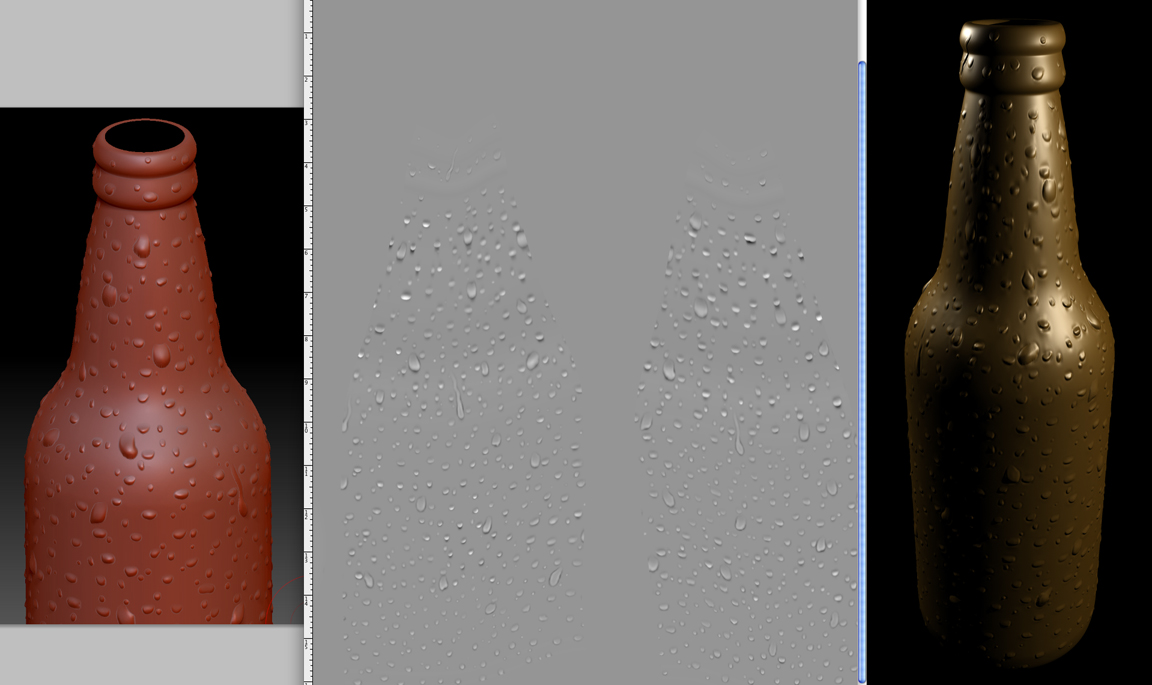
I’ve sculpted water droplets on an imported Maya model and the attachement shows the sculpt at Sub level 5, the generated Disp Map, and the Mental Ray render. For the Disp Map, I’ve created a Morph Target at Level 5, then lowered the Sub Level to 1 and created the Disp Map set at Adaptive, Smooth UV and Flip UV- I’ve also created a Normal Map at the default settings. My question is: whats causing the darker areas on the Disp Map that in turn is deforming the render (there’s slight indents around the water droplets}. With Mental Ray Approx editor I’ve entered “spatial” and adjusted Minimum to 3 and Maximum to 5- Length to .5.
The problem seems to be the Disp Map. What settings within ZBrush will give a more uniform Disp Map? Also, within Maya, how do I assign a different shader? It came in with a Blinn and I want to assign a MR MIA glass shader
Thank you for any help
Attachments