ZBrushCentral

displacement map issues and Max 2009

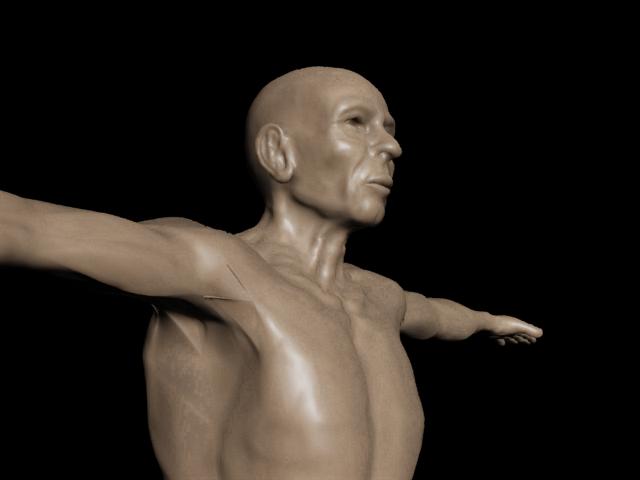
I generated a displacement map from zbrush for use in max 2009. There is 2 artifacts on the front of the shoulder and under the arm. I’m not sure what the problem is since i tried different settings in zbrush and still got the same two artifacts along the UV seam in one spot. I can’t seem to find the problems on the map while looking at in zbrush or photoshop. I used the multi displacement exporter and generated the r32 with the smooth on and full for everything. The map was generated off a subdiv 3 model.

Attachments
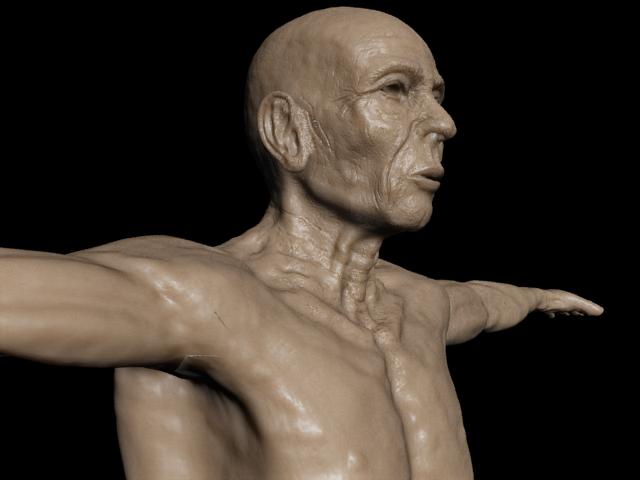
displacement_problems.jpg

What are the UV’s like?

The Uvs are fine and there are no overlaps.

I wasn’t thinking overlaps. But I was hoping to see what the UV’s actually looked like at the place where the artifacting is occurring.

The problem seems to be where the arm attaches to the front of the torsouvw_render.jpg

I fixed my uv’s but i’m still having a problem. There is still major artifacts under the arm. I’m not sure how to fix this.

Attachments

displacement_problems2.jpg

Are there smoothing groups assigned to those specific polygons?

What are your exact settings for displacement in zbrush?

I redid some of my UVs by cutting and welding the problem area (polys around the upper arm that attach to the shoulder) onto the torso. After switching my model to this new Uv layout the artifacts disappeared. This is a good lesson for me about the importance of proper uv layout. :smiley: