ZBrushCentral

displacement map all quaded up...

Has anyone come across this before? First time trying to export a displacement map from 3.1 The displacement map that gets generated is pretty bad, no smoothness at all. You can see every single polygon. I used both multi displacment 3 and also just the regular displacement and the problem was there for both methods. Is there some special trick?

I am use Maya 8.5 to render my model. Is there a particular code or method for Maya?

Attachments
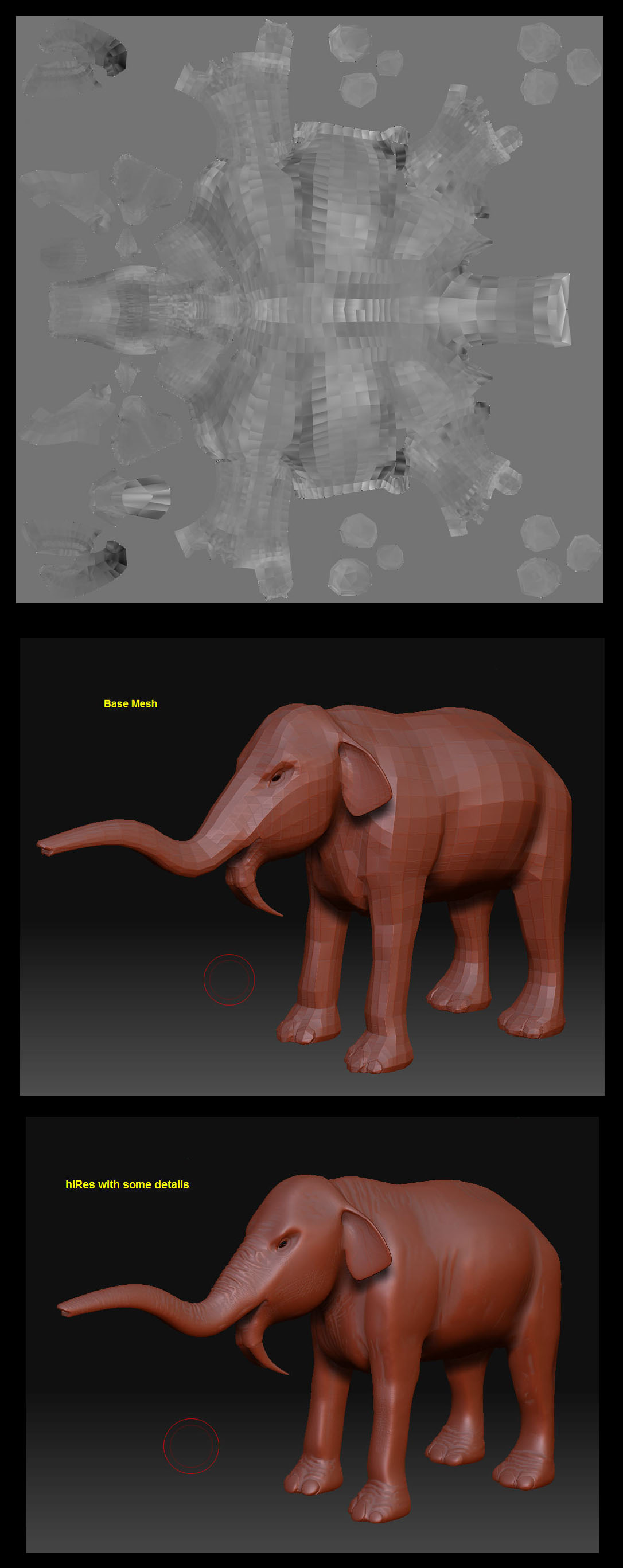
badDisplacement.jpg

It looks like the UV vertices are disconnected. You should be able to merge the UV vertices in Maya although how you do that in Maya I do not know.

When the UV map is fixed you can reimport it back into ZBrush using the steps described >> Here <<.

but it seems to be something else. I started with the model from scratch again. (reimported the obj.) and this time I am not getting th problem. very odd. Hope I don’t run into it again.

Allen

As TVEyes said :slight_smile:

However, you really only need to re-export your base mesh from ZBrush as an OBJ with Mrg checked ON, and Grp checked OFF Then you should be good to go. If you merge vertices in May AFTER importing your OBJ, be sure to import your mesh with seperate checked OFF in your import option box;

otherwise you risk the vertex order being re-assessed :wink:

EDIT: It’s YOU Allen :slight_smile: How are you?? How’s sunny Costa Rica??

C.