ZBrushCentral

displacement looks facetted

Hi,

I got a big problem and time is running out! I painted a level 7 mesh in zbrush, used the Alpha displaecement exporter with the D16 option (plus “flip exported image”) and now my displacement looks facetted. The number of facetted polygons you see depends on the mesh’s subdivision level.
I tried out in XSI 5 and Maya 7.
I think its some option I might have activated somehow.
does anyone know a solution?

Attachments
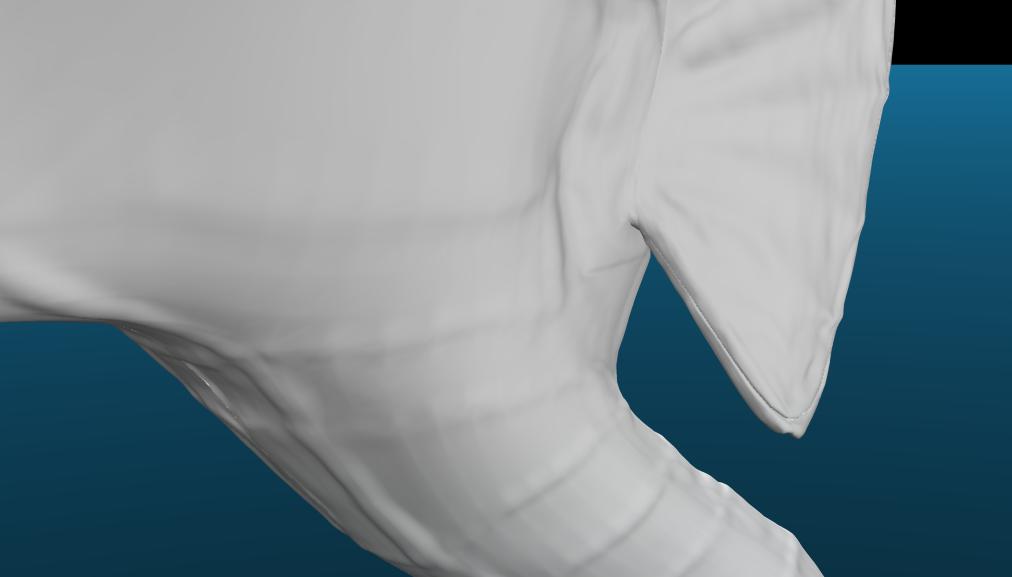
facetted.jpg

Could you describe the steps that you followed to create the map? It’s impossible to tell where you might have gone wrong without knowing what you did.

sure.

import obj with uvs
subdivide as much as possible(7)
detailing it, changing subdivision levels as needed
going to level 1
importing original obj (also tried without this)
using alpha displacement exporter (D16, smooth yes, seemless yes, flip yes)
settings 4K, Subpixel 4
press create and wait.

back in 3D: using the map as displacement, as I always do with Zbrush-maps, result looks facetted (posted picture uses a subpixel res 1 map from Zbrush, looks worse with 4!)

I hope now you have an Idea what went wrong!
In Zbrush everything looks great.

tonight I tried to set up the obj in Max and there it looks almost perfect, but I have to use very high values to get all the detail. I also examined the 16 and 32 bit versions of my displacement maps in Photoshop and I cannot find any distortions causing this facetted look. So its in the obj…

maybe someone got an idea? (XSI is production environment)

I did some more testing. It seems to be in the map somehow (maybe combined with the settings in one of the programs)!
I used the saME OBJ with another displacement map, and it worked fine (but I need the other one). When I use my original map on a sphere, the smae errors come up!
Is there any option in Zbrush causing some mesh errors like that (looks like seems to me now)

Attachments

seems auf sphere.JPG

well were you did go wrong was that when you went end gone texturing you textured with the a more cube shape, if you go to alfa menu you will see
Blur Noise Max Rf
what you need to do is raise Rf
and when you did that you will see it going more transparent.

well,
now I went back to a very early state of my mesh and created a displacement map from this one, still gives me these errors.
But when I import the base mesh all over again, I don’t get errors in the displacement (I don’t have time to rebuilt the hole thing).

So now I am suspecting an import mistake I might have made or a setting that was turned on.

6 days remaining… :frowning:

-> Update
I exported with DE-LBEK-EAEAEA-Xsi and it improved a bit. But still there are those facetts. They are increasing and decreasing depending on the level of detail I allow mental ray (number of microtriangels or subudivision steps). the pictures below show
detail 0.01, min steps 2 and max steps 5
detail 0.1, min steps 0 and max steps 3

Attachments

in the map.jpg

subdsreduced.jpg