I’m currently trying to displace a base face mesh in Maya 2017 and render it in Arnold. I have a friend who has been using zbrush for years and, while he can’t remember how to solve the problem I’m having, he’s 99% sure that it’s a baking problem from zbrush, and not a rendering issue.
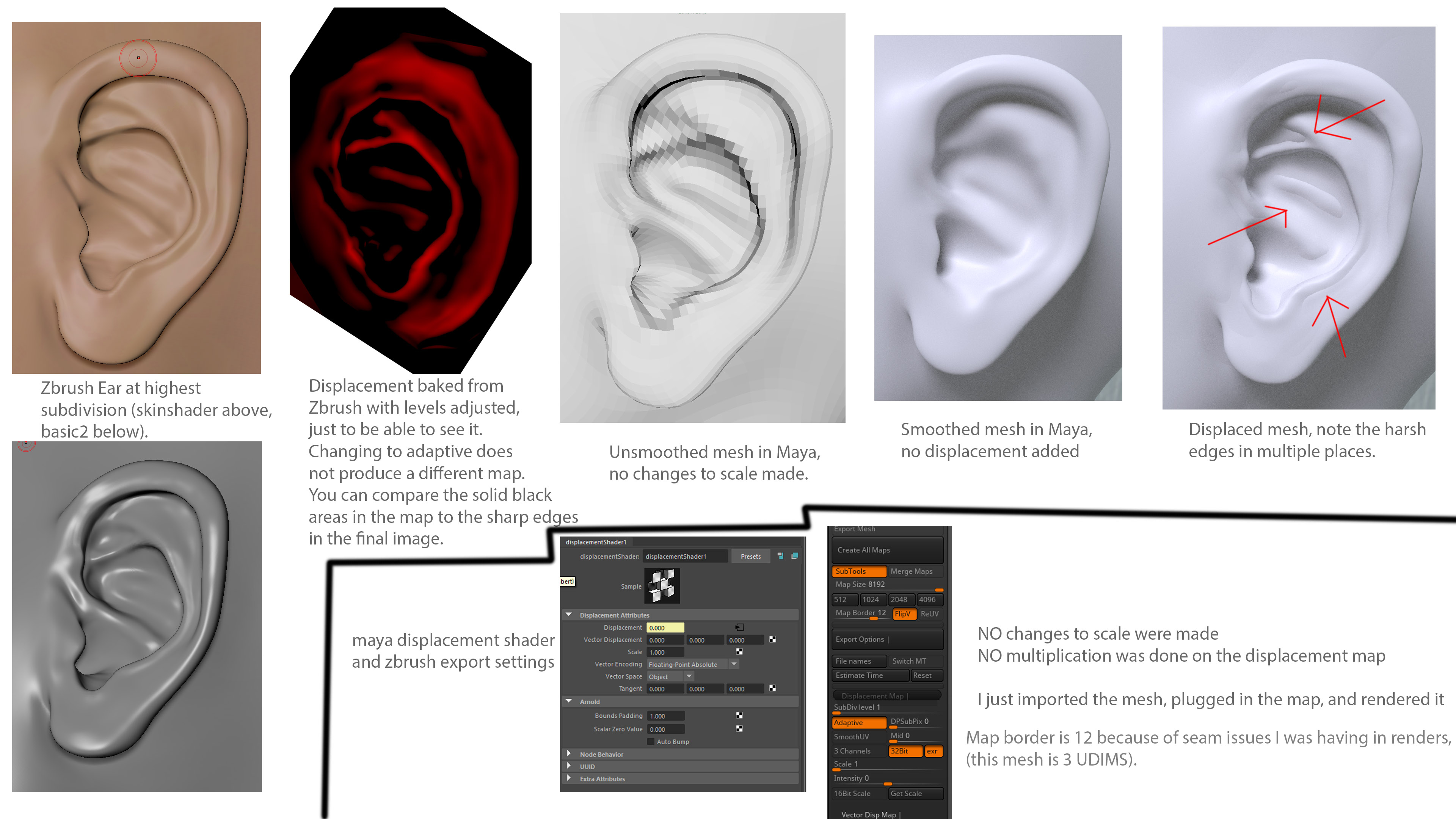
While the issue is illustrated in the image, I’ll summarize it here as well:
Basically, when baking out 32 bit exr displacement maps, it appears that zbrush runs into problems baking smooth transitions in certain areas that push in. Take, for example, the inner-top portion of the ear in the images (the top red arrow). In the zbrush sculpt, that area is a nice, concave shape with no harsh flats: a smooth transition. In the baked map, however, it starts off transitioning well, but then it seems to hit a value of 0.0, can’t push in anymore, and creates this sharp edge and flat plane where it should be concave. My image shows the problem happening in the ear, but I also have this issue around the corners of character’s eyes and around nostrils.
I have tried MANY things to fix this so far, and all have failed. I’ve tried:
Using/not using adaptive
Lowering/increasing map borders
Using/not using dsubpix values
Deleting lower subdivs so that the new lowest subdiv more closely matches the highest subdiv (obviously this helps a little bit, but the problem is still there)
So far, the only thing I’ve found that has helped at all is turning off autobump in the displacement node in Maya, which softens the hard edge slightly.
Attachments
