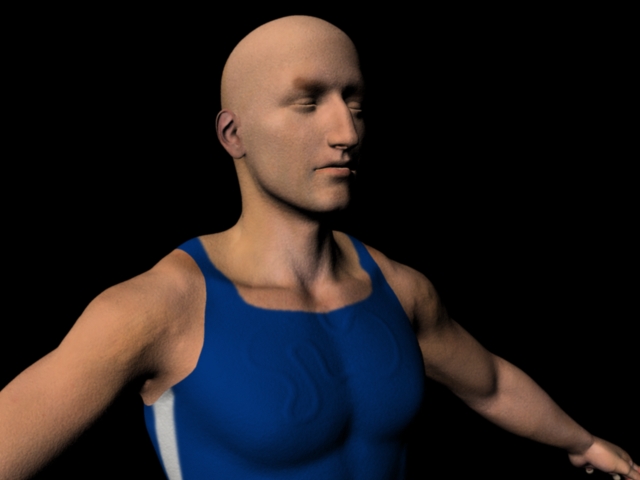
Hi all,
Im quite new to zBrush and I’ve ready many tutorials about exporting displacement maps but still im having some problems in getting the correct result. I sculpted an basemesh from maya and when I add the displacement map in Maya I’m having that overall “rough” surface as in the image attached.
When I set the alpha gain in maya to 2.2 it blows up the whole model and when i set the alpha gain to 2.2 and the offset to -1.1 it is still blown up.
The closest I get tot what i want is if I set the alpha gain to 2.2 and the offset to -1.65 (-.75gain instead of -.5gain). Does anyone know what could cause this?
I exported the displacement map as a 32 bit tif from zBrush4 and use it in Maya 2011 with mental ray.
Something strange also is that if I use the approximation editor, the render goes totally black? 
Any help would be appreciated. Hope I gave enough info, if not, just tell me what you’d like to know.
Danny
Attachments