ZBrushCentral

displacement almost perfect

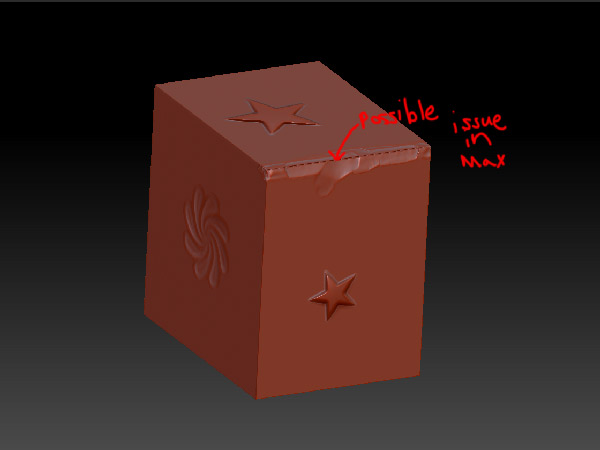
I got a displacement map here… that I want to export to 3ds Max.
[new-displacement-map.jpg]ZBrush-displace-preview.jpg
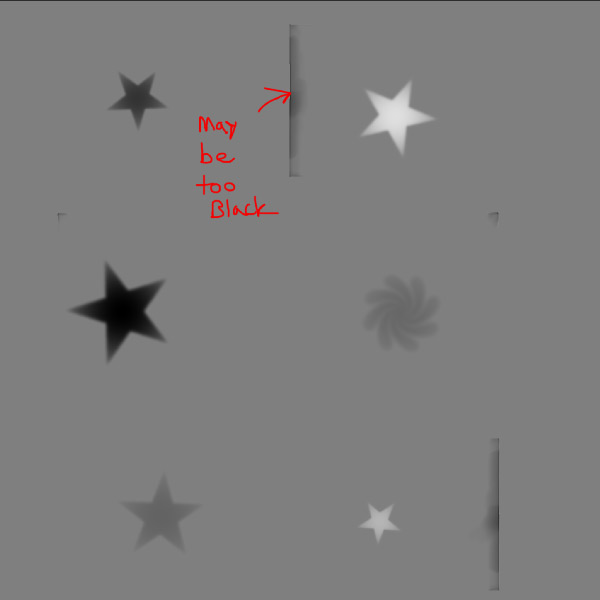
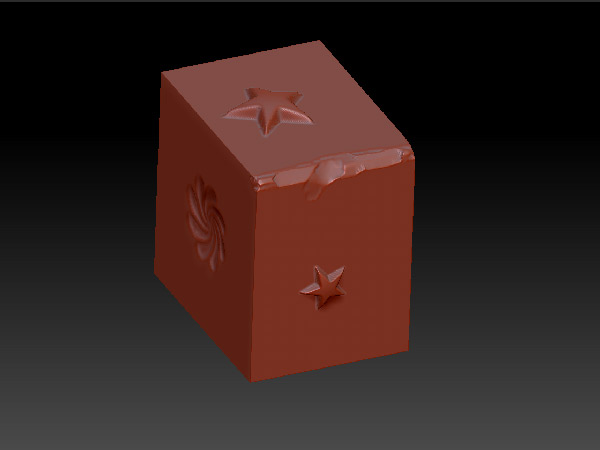
my question is if my “clay tube tool” work that I did on the edge screwing up my displacement map… and what is the best way to damage sharp edges for good displacement maps…

or is this fine… and it will look great in max… I am confused by the preview…?

Attachments
clay-tubes-on-edge.jpg

Please see here: https://support.pixologic.com/index.php?_m=knowledgebase&_a=viewarticle&kbarticleid=42

that link has some great info… but

I am not using adaptive mode… and not making a 32-bit map

I did use shift+crease all…
i am happy to have no white wash in my map…very happy

I am worried about that black line in the preview… I have the same problem with normal maps.
is it possible to use the clay tube brush to damage a really sharp edge and have it look clean in a normal map or bump…even though it does not move push down the edge?..