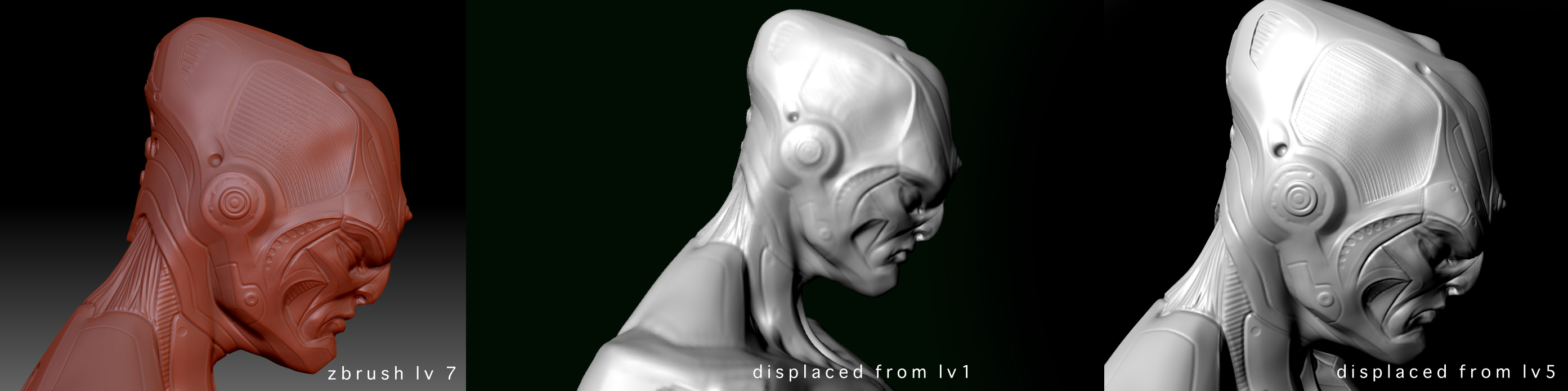
hi all, I was wondering if someone could offer some wisdom…
I downloaded one of Nickz’s models and am using it to learn about goz and displacement. Basically I’d like to get high resolution results in maya.
Every time I generate a displacement map from level 1 I get slightly odd results on render: Not all the detail makes it through, and the mesh seems to inflate at the finger tips. (perhaps because there’s a seam running there?)
Now I can get a good result, but only when I delete my lower levels and generate my disp map from lv5. And even then theres some artefacts. I’ll attach screens to illustrate.
Obviously I’d much rather be working with the lv1 mesh. Is there something I’m missing?
I’d be grateful if someone would offer some advice or even a nudge in the right direction. I’m happy to do the legwork.
Cheers,
link 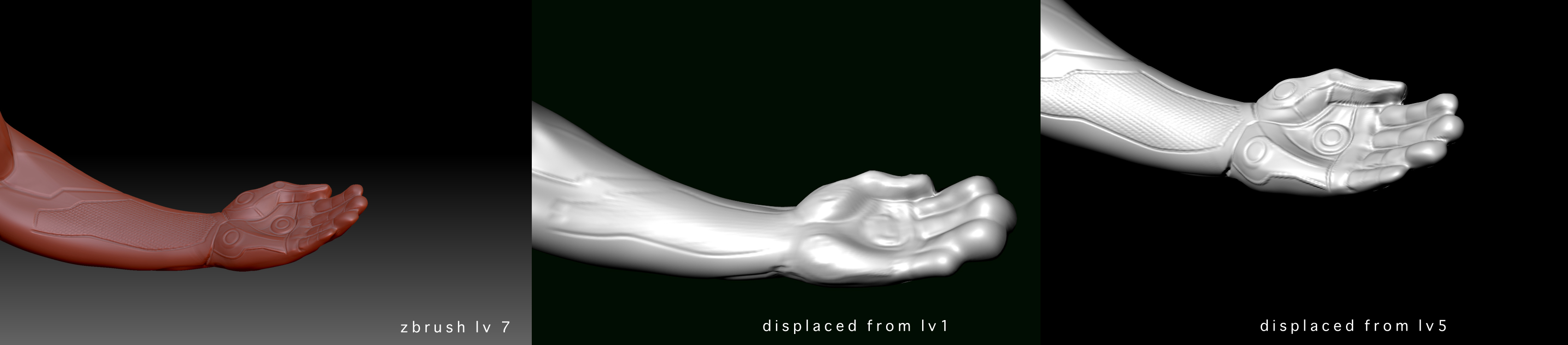
Attachments