Anyone know if there’s a way to permanently disable these messages?
[attach=227793]zbmessage.jpg[/attach][zbmessage.jpg[/attach]%3C/font%3E"]](http://%3Cfont%20color=%22#9A9A9A%22%3E[attach=227793)
Attachments
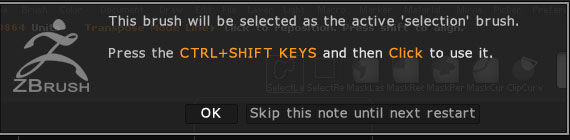
Anyone know if there’s a way to permanently disable these messages?
[attach=227793]zbmessage.jpg[/attach][zbmessage.jpg[/attach]%3C/font%3E"]](http://%3Cfont%20color=%22#9A9A9A%22%3E[attach=227793)
You can’t permanently disable it but you can avoid seeing it. If you need to use a Mask, press Ctrl first, then select your brush. If you need to use a Clip Brush, press Ctrl+Shift first, then select your brush.
Ok thanks for the tip. Maybe we’ll see a disable option in a future point release 