ZBrushCentral

Difficulty selecting individual polygroups on a mosaic floor piece

Im following an environment art tutorial and we are sculpting a floor piece that is being imported as a .OBJ from 3ds max. Sure enough i get stuck at the very beginning of the lesson.

I am trying to select the larger middle square in the attached image. In the video he simply hovers his mouse over it, holds ctrl-shift, and double clicks it and the middle piece vanishes.

In my version of zbrush, hovering over the middle of the large square causes it to select one of the surrounding rectangles. Every little polygroup in the object can be individuall selected except for the larger middle square. I can only select it if a bunch of the surrounding ones are already selected.

Can anyone help?

Attachments
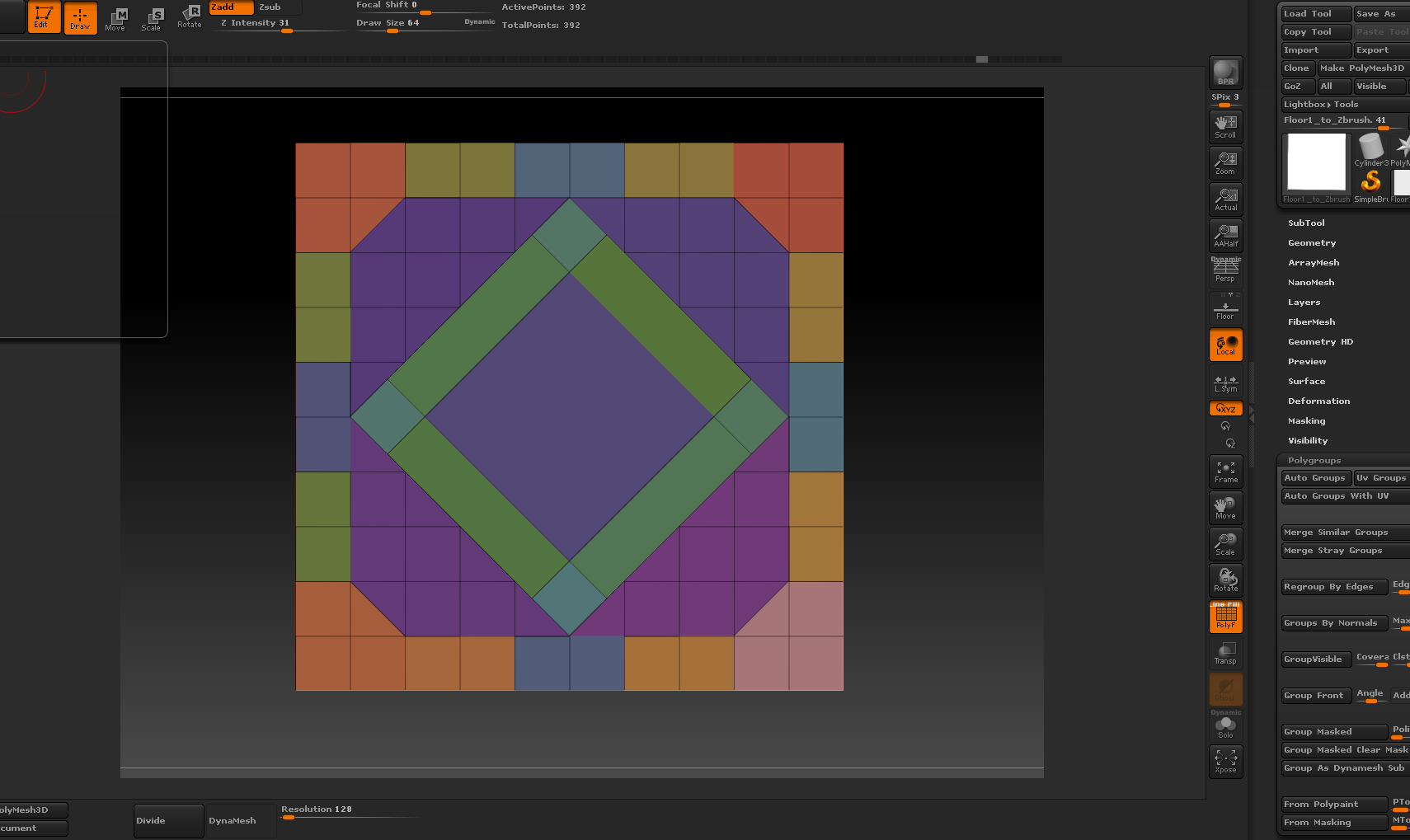
ZBRUSHSCREEN.PNG

Difficult to reply if I cannot try it out myself, but I do see that this is not one object/tool/mesh because that center part is not linked to its surroundings. I see that because ZBrush does not use n-gons. This means all surfaces you see will be either three or four sided. And the hroizontal-vertical grid does not connect to the central ‘losange’ like center.
Are these two subtools? Do you have the right subtool selected?

You will get help, but with these data it is guessing what it can be. More information would make guesswork easier.

Thanks for the reply. Let me attach another pic for you.

Its not a flat plane but a square with some depth. I made a 10x10 square in 3ds max, divided it up into some cool patterns, then individually detached each peice and exported it to Zbrush. When you import it and turn on polygroups, it automatically recognizes each piece and gives them all a polygroup which is why it looks the way it does.

I noticed that in the instructors video he seems to have the middle square colored GREY as if it has no polygroup. If i import his .OBJ, i am able to select and unselect the middle piece as you would expect. This may be the answer to the problem. Do you know how i could achieve the same result? I attached a third picture (its the brighter colored one with the grey square in the middle)

Attachments

Capture.PNG

ZBRUSHTILE.PNG

Sorry for i am a freshman, could you please explain this for me.