ZBrushCentral

Delete Hidden problems

I searched this forum for delete hidden issues and i am still having problems.
Here’s my steps.

1.Set highest subd
2.Mask all
3.Hide the part i want to delete
4.Go to lowest subd
5.Delete hidden

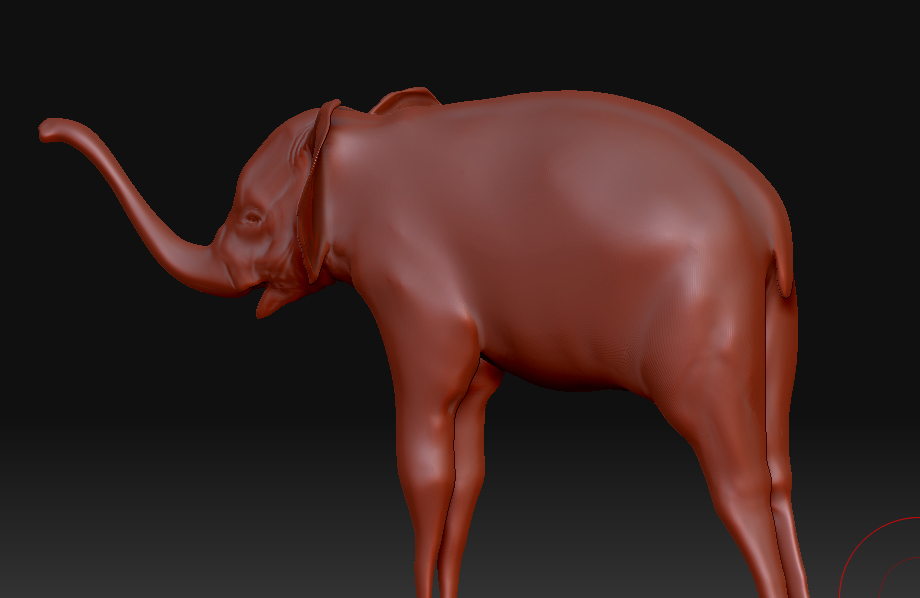
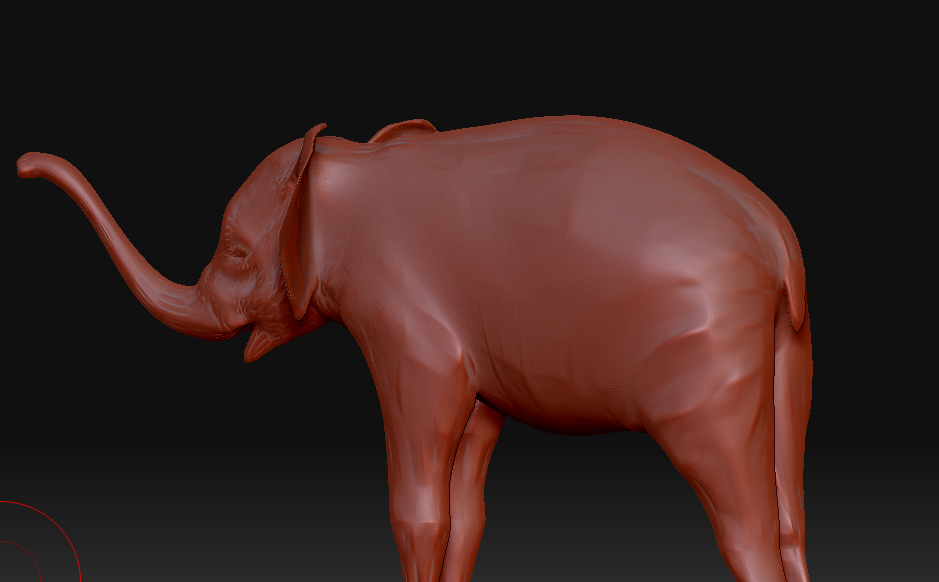
I still have artifacts on my model after that!

please help!!!:confused:

Please post screenshots and include the version of ZBrush that you are using.
Tip: You may also use the “Split” function instead of delete-hidden in step 5.

I am using 3.12B for OSX
I tried split but it’s doing the same thing.

Here are before and after screen shots

Thanks!

Attachments

Picture 1.jpg

Picture 2.jpg

Dirtynull: You are not using the latest version of ZBrush.
The upgrade to the latest version is free-of-charge to all registered users. Please upgrade to the latest version and check then if you encounter the same problem.

I am using the latest version

It’s 3.12 B

Unless i am missing something?

The latest OSX version is 3.2. See the 3.2 OSX featured icon at the top, or click here.

I always have problems with delete hidden.

Rather than doing that create 2 polygroups. 1 that you want to keep, and 1 that you want to delete.

Then do
tool>subtool>grpsplit.
Then just delete the subtool that is created of the unwanted parts.

Thanks goast! Works like a charm
I’ll install 3.2 hopefully they fixed it there.

And it works great with del hidden in 3.2
Thanks guys!