Hi.
Is there a way to flatten a sphere beyond the half-way point? If I want a shallow, convex shape with a flat bottom, how can I control the Deformation so that I can flatten a sphere nearly to one of its poles?
Thanks!
~S.~
Hi.
Is there a way to flatten a sphere beyond the half-way point? If I want a shallow, convex shape with a flat bottom, how can I control the Deformation so that I can flatten a sphere nearly to one of its poles?
Thanks!
~S.~
snark, i’m a little confused by what you want. first off, in 3.1 flatten only works correctly on the x axis, so in the preview window you will want to rotate your model, also if you use the offset you can move your model over to one side of the pivot point, which should allow you to flatten as much as you want.
also masking helps.
lastly you can also do flattening with just masking and transpose. by drawing one end of the action line at your flatten point and then moving the other end towards it, it will push all your geometry there. i use this for more control than the deformation palette gives. but of course if you create a layer before using flatten you can then adjust the amount by changing the layer strength.
Thanks, Spaceboy.
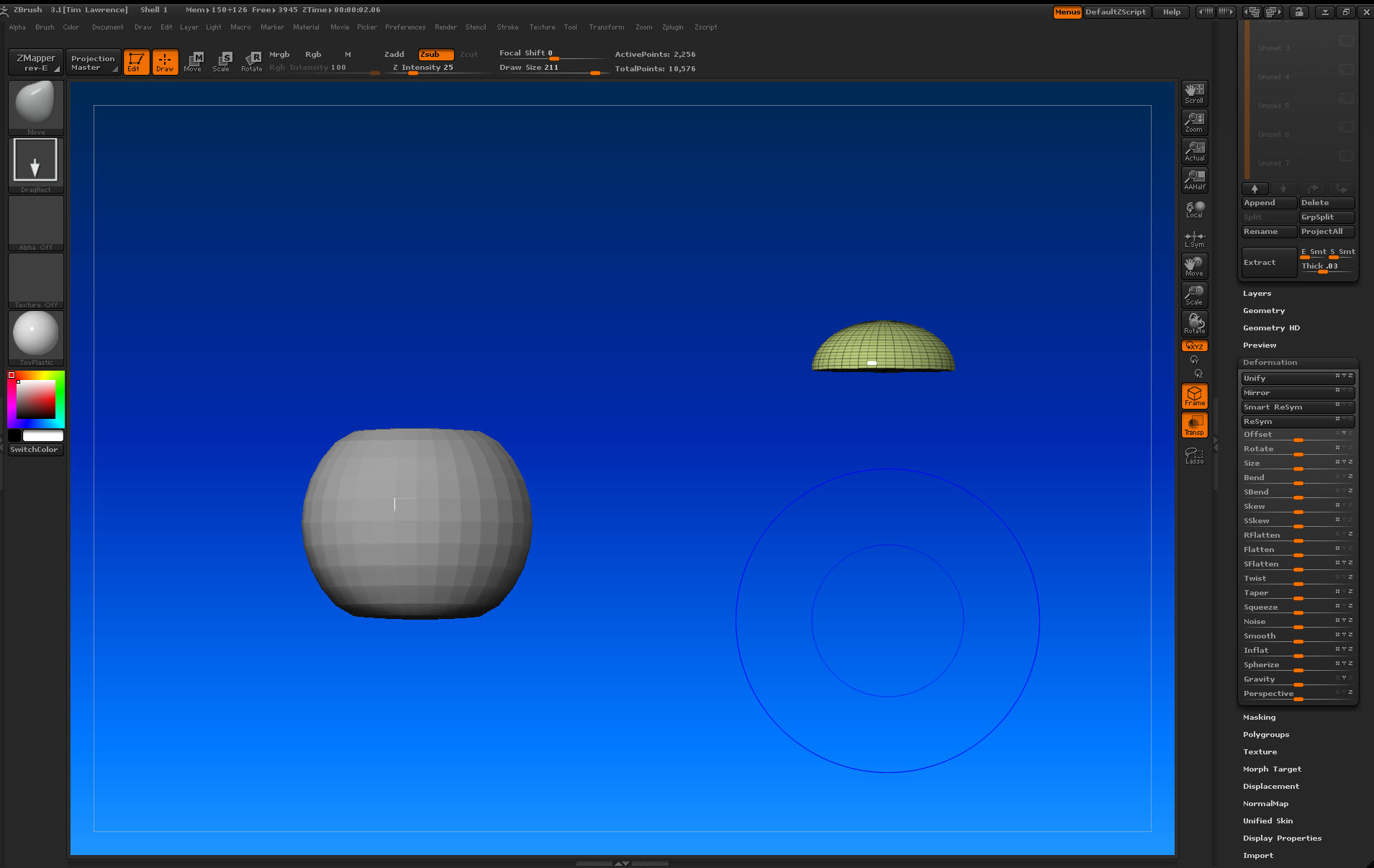
I will try that. I am having additional problems trying to align two separate subtools. I have attached an image. Please comment.
When I use the Deformation SubPalette to move these objects all I get is ‘Skewed’ forms, no ‘movement’. I’m missing something.
As you can see, I’m trying to create a two-part model for an ‘eye’ where the cornea can have transparent and refractive qualities. Perhaps you have insight?
~S.~
once again i’m not sure of your problem.
having the preview window is almost a must when using the deformation palette, so you can see what you’re doing.
if you are trying to line them up, the easiest way to do this is to just hit Unify for both in the def palette, they should then share the same pivot point, then is is only a matter of sizing the one to fit the other.
remember for moving,scaling and rotating you can also use transpose.
you also might’ve had an easier time if these were both made from the same sphere by doing a hide/ make polymesh, for one part and then the other.
Hi, Spaceboy.
Thanks for all the great suggestions. I’ve gotten it to work for me now.
The current problem is with Macros. I recorded a simple macro to draw out a primitive sphere, initialize its height and width to 25, enter edit mode and make the sphere into a polymesh. I saved it and ran it. Worked fine until I closed out of the program. When I booted up again, the macro would run, but without my custom, initialized height and width information: 25 x 25. It ran with the default information: 128 x 65.
How can I get my custom initialized information to ‘stick’ to the macro?
~S.~
i’ll have to check later, but instead of having the macro do all that, now that you already have the polymesh3d sphere why not just load that or have the macro load it instead of the whole primative to p3d process?
okay i just tried it and its working for me heres whats in the macro.
although i’m not sure why you want it drawn at that size.
EDIT: oops that wont’ work, let me try again.
okay i figured it out, for whatever reason when recording a macro, you need to hit “enter” on your keyboard when inputting those numbers into the primitives initialize boxes otherwise it does’nt record it.
try it that way, also heres my macro for it:
//ZBRUSH MACRO - Recorded in ZBrush version 3.1
[IButton,???,“Press to run this macro. Macros can be aborted by pressing the ‘esc’ key.”,
[IShowActions,0]
[IConfig,3.1]
[IPress,Tool:Sphere3D]
[ISet,Tool:Initialize:X Size,100]
[ISet,Tool:Initialize:X Size,25]
[ISet,Tool:Initialize:Y Size,100]
[ISet,Tool:Initialize:Y Size,25]
[ISet,Tool:Initialize:Z Size,100]
[ISet,Tool:Initialize:Z Size,25]
[IPress,Tool:Make PolyMesh3D]
]
Thanks, Spaceboy!
All is well.
~S.~