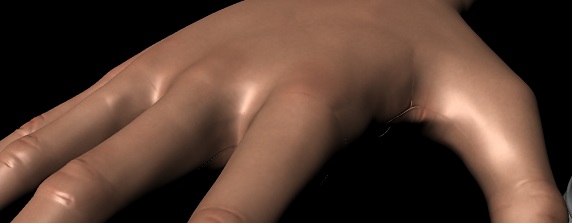
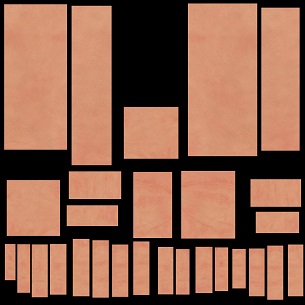
I am getting some vicious seams in Mental Ray for Maya when I try to use a displacement map. I even made all of the seams on the UV parallel (as seen in the example image) because I read that not doing that is a common cause of visible seams but that doesn’t seem to have alleviated the issue at all (it looks kind of pretty and well organized, at least).
What are the usual suspects for visible seams on deformation maps in mental ray? I’ve been trying to figure that out for the past several hours but I’m a bit lost.
The deformation map settings are 32 bit 3 channel exr format with subpix set to 2.
I have tried it both with and without smoothuv on to no difference.
Attachments