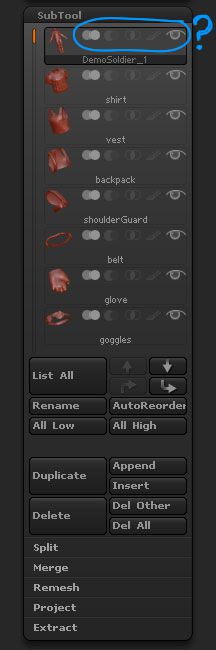
I apologise in advance for this question, but I cannot find in the supplied or online documentation the meanings for the highlighted icons in the sub tool palette. I know the eye symbol toggles visibility of the sub-tool and I’ve found one subtracts the sub-tool but the rest? Would someone please point me to the relevent documentation? I’m sure it’s right in front of my face somewhere (call it a man look)…
Attachments