hey guys!!! i´ve been using decimation master and it´s pretty amazing, however i´m having a weird problem.
once that my model is decimated the whole detail in the texture is gone, only the material stays there but all the colors that i added disapear, now in honor to the true i have seen that all the examples with decimation master never have any color added, so i was wondering do i have to add all the texture colors again? sorry if i´m asking something stupid guys but i ´m not really an expert in zbrush… thanks guys!!!
Did you make sure to turn on ‘Use and Keep Polypaint’ in the ZPlugin>Decimation Master Options?
If you have a polypainting, as I said Marcus, you must use the option keep and use polypainting. Also, take a look at the preference, in the preference >> Decimation master preferences for the polypainting over the details for the decimation (you have a slider).
If you model have a real texture, then UVs, you must also use the preference to keep the UVs.
If it’s not this problem, please post some screenshots 
hey guys!! thanks for the fast answer, i tried both suggestions but i still loss the detail, so as you suggested i´m adding some screenshots, the first one is the original 1,884,000 poligons version, as you can see i added some make up and small things on the face, the second one is the decimated one and the whole make up and little marks are gone, only the material which has the color of the skin stays there…hope you can get a better idea of what i´m doing wrong…thanks guys!!!
Attachments
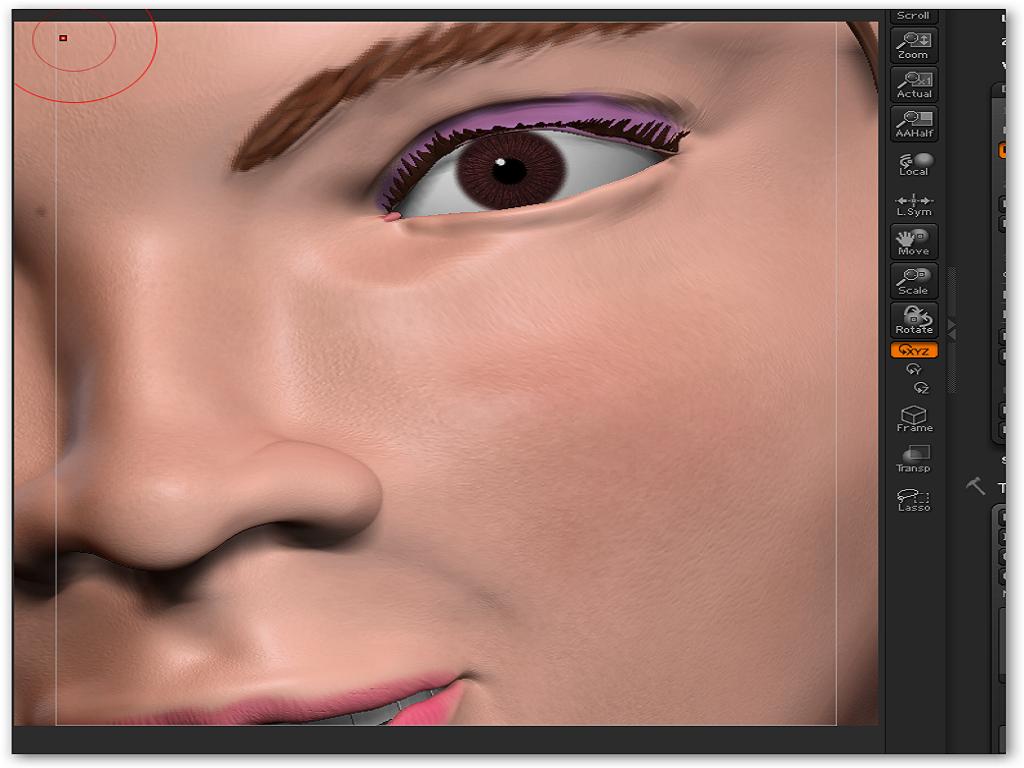

Then, on your model, I guess it’s only a polypainting and not a texture. If yes :
- you don’t need to click on the Keep UVs (if you don’t have UVs or don’t want to keep them as it increase the precomputing time)
- go in Preferences >> Decimation Master and check “Use and Keep Polypaint” ? (move the slider above at 0 value) ?
If it’s still not working, is it possible to have access to your model to do an internal verification?
hi!!
I tried what you told me but i still have the same problem, so sure i can share my model with you guys to check it, thanks for so much help, i upload it to megaupload as the file is pretty big even zipped 56 megs… this is the link:
http://www.megaupload.com/?d=W8VYI9QM
i´ve also included the skin material that i´m using with this model, Ihope you can find out what i´m doing wrong.
thanks!!!
I just checked your model. I can keep the polypainting without any troubles, except at 1% in which it seems to have a bug (black color where you didn’t painted).
The steps I did:
- Load the ZTool
- Go in DM preferences, click on the “Use and Keep polypainting” preference (to be sure, check, un check and check again, sometime, a bugs happen in ZScript with this kind of buttons)
- precompute
- decimate
the result is ok for me with these steps.
hey dude!! thanks for the help!!
ok, i did everything as you said and i still got the same problem, however i realized that i missed one thing that you said, i check and uncheck the Use and Keep polypainting button few times and try it again…and it worked!!! furthermore i checked the plug-ins page and find out that there was a newer version of decimation master ( i was using the one that first one that appeared on the page) so i got it, install it and bam!! it works and i don´t need to check, un-check the button, so it looks like i was the victim of a not very happy bug… Anyway thanks guys!!! this shows how cool the zbrush community is, with great guys like you who are willing to give a hand to other users no mather if they ask something usefull or even stupid like i did, thank you very much!!! and i hope this helps any other guys who could face a similar problem…
see ya!!!