ZBrushCentral

Decimation Master Installation Problem? (Mac)

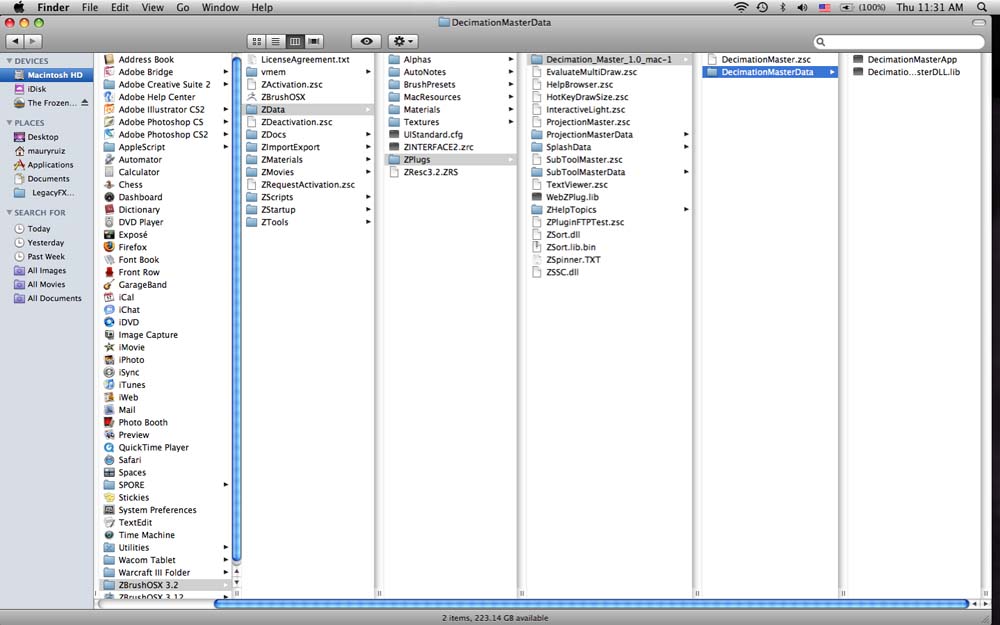
I am unsure I followed the directions on where to place the Decimation files. If you follow the picture of my folders. On my hard drive, in the applications, in my ZBrush 3.2 Folder, then my Data folder, then my plugs folder. Is the decimation folder properly labeled? Mac version often changes the names…

Where did I go wrong? When I launch ZBrush 3.2, decimation is missing in the pluggins pull down menu.

Thanks,
Maury

Attachments
Picture 2.jpg

hi ive got the same issue, dragged and dropped the unzipped files into zstartup >zplugs,
ive got DecimationMaster.zsc
DecimatonMasterApp
DecimationMasterDLL.lib
ZPlugsFolders.txt

thats what came through on the download, when i open then new zbrush download theres no plug in, when i try to load the script separately from inside the programme, i get a pop up telling me it cant be found?
any ideas?
prosthetix

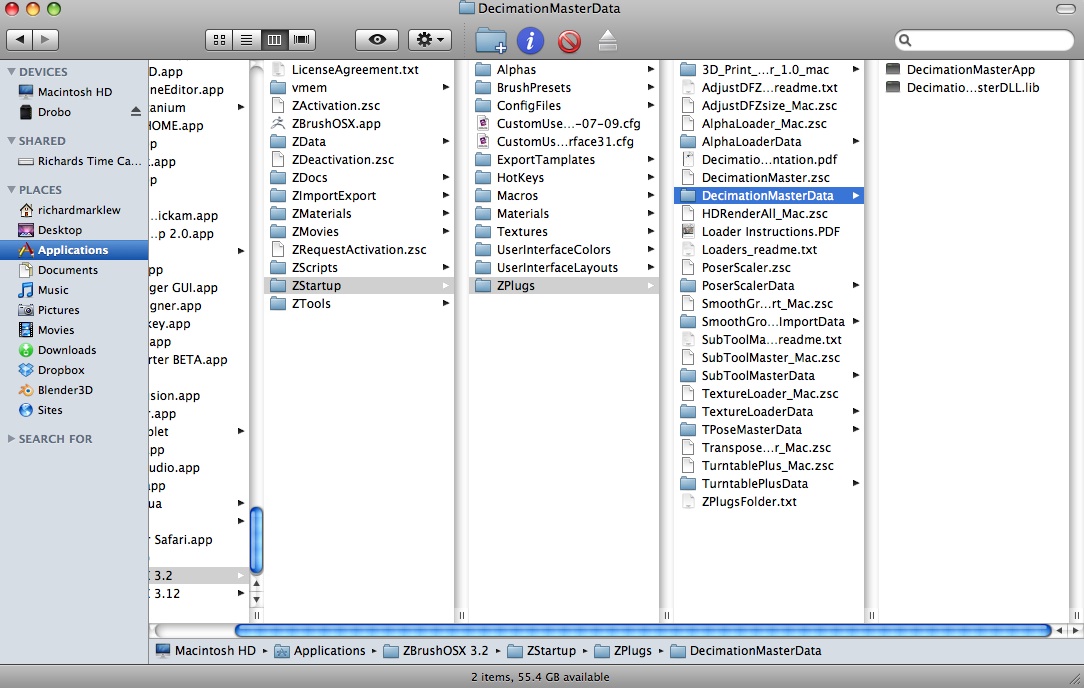
You’ve installed it incorrectly. See the attached picture for the correct installation that works.

Picture 7.jpg

Richard

Thanx for helping Richard, it works now after i reload from inside zbrush, not there as a default plug in yet though :+1:
prosthetix

Now I got it! Thanks a lot Richard! This is why I love pixologic!

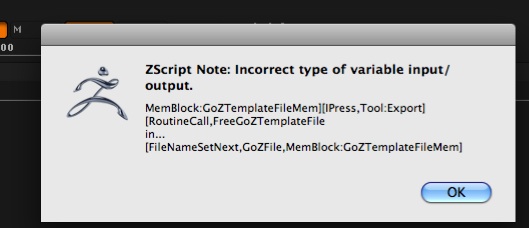
hello ,i have a problem with decimation master on macos x:when i clic on preprocess current, i have this message:
What does it mean? thanks.

Attachments

decim master.jpg

It means you’re not running ZBrush 3.2. Please update. See the 3.2 OS X Released icon in the top row.

thanks for the answer.All is ok now.May i delete the zbrush 3.12 folder after this upgrade or not?

Keep it :slight_smile: