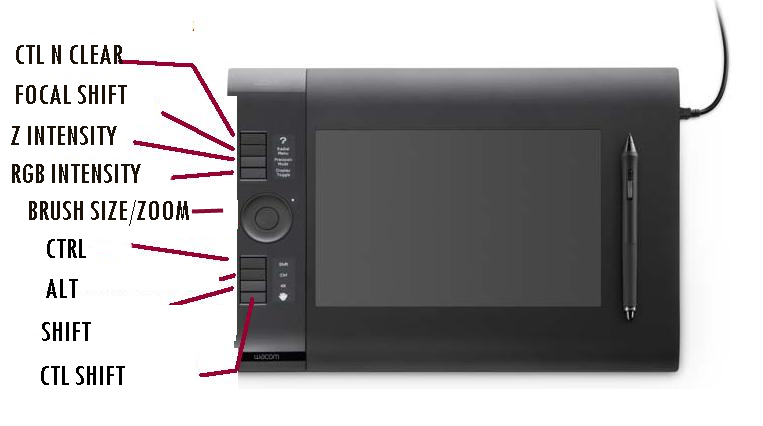
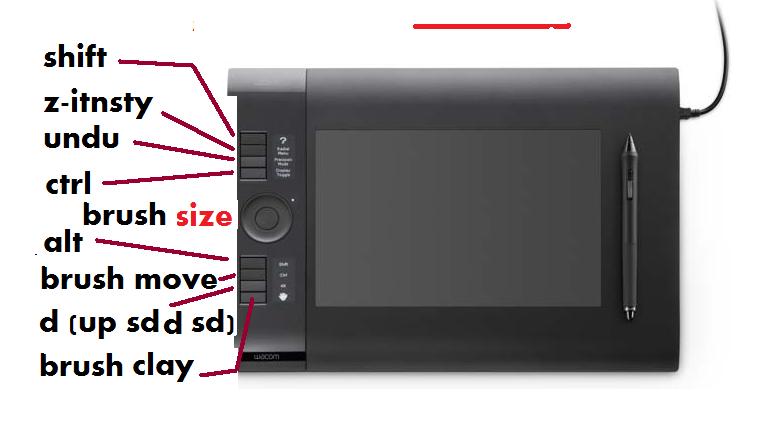
It’s still a work in progress for me, but I’ve currently set my Wacom as below. I’m right handed and I sometimes work with the tablet lying diagonally accross the keyboaord so it blocks the right half of the keyboard. So I use the keyboard for the left side keyboard shortcuts such as undo, subdivide, edit, color picking transposing, etc. However I do find the CTL, Alt and Shift modifier keys convenient to have on the tablet.
For brushes I use most often I use the top keyboard number keys…currently 2-standard, 3 - move, 4 - inflate.
To scale I use the combination “alt/pen down and hold/alt up/drag” method of scaling so I haven’t committed a key to scaling.
Because I occasionally zoom the workspace I have that as a secondary function on the touch ring.
The key most likely to be “voted off the island” is the CTL N, since I have a button set for it on my interface. I’m just not sure what to put there, yet. Decisions, decisions…
Attachments