Is there a way to move this blasted BrushMod Box???
Thank you!
Josh
Attachments
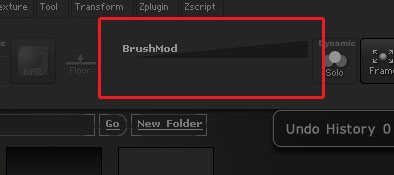
Is there a way to move this blasted BrushMod Box???
Thank you!
Josh
Yes, there are several layouts available via button in the upper right of the UI. Try a different one. If none suit you, read up on Custom UI. Fairly easy to drag items around after Enable Customize is selected in Preferences.
Preferences>Config>Enable customize> Then Ctrl+Alt + drag the box in the canvas to delete from your UI
After you have your UI as you like Disable customize and > Store Config
If its the one I’m thinking of, then brushmod can’t be removed (nor can it be readded). This would happen if the UI file was created on an older version. You’d have to start the UI over from a new template.
That’s must be my problem, the UI I layed out is from an older version on Zbrush. Thank you much! Didn’t even think of that as being a problem.
So does anyone know if there is anyway to update the UI set so I wouldn’t have to rebuild my custom UI. Not terrible adverse to rebuilding it, just curious if I must rebuild to get rid of the BrushMod.
Thanks!
I don’t think there’s a way. This has come up before and I tried various scripting techniques to find a solution but without success. You’ll have to start over, I’m afraid.
In case it’s useful, here is a revised version of the ‘Sculpt01.cfg’ interface layout, with the BrushMod removed:
Gotcha, thank you for the insight I appreciate it.