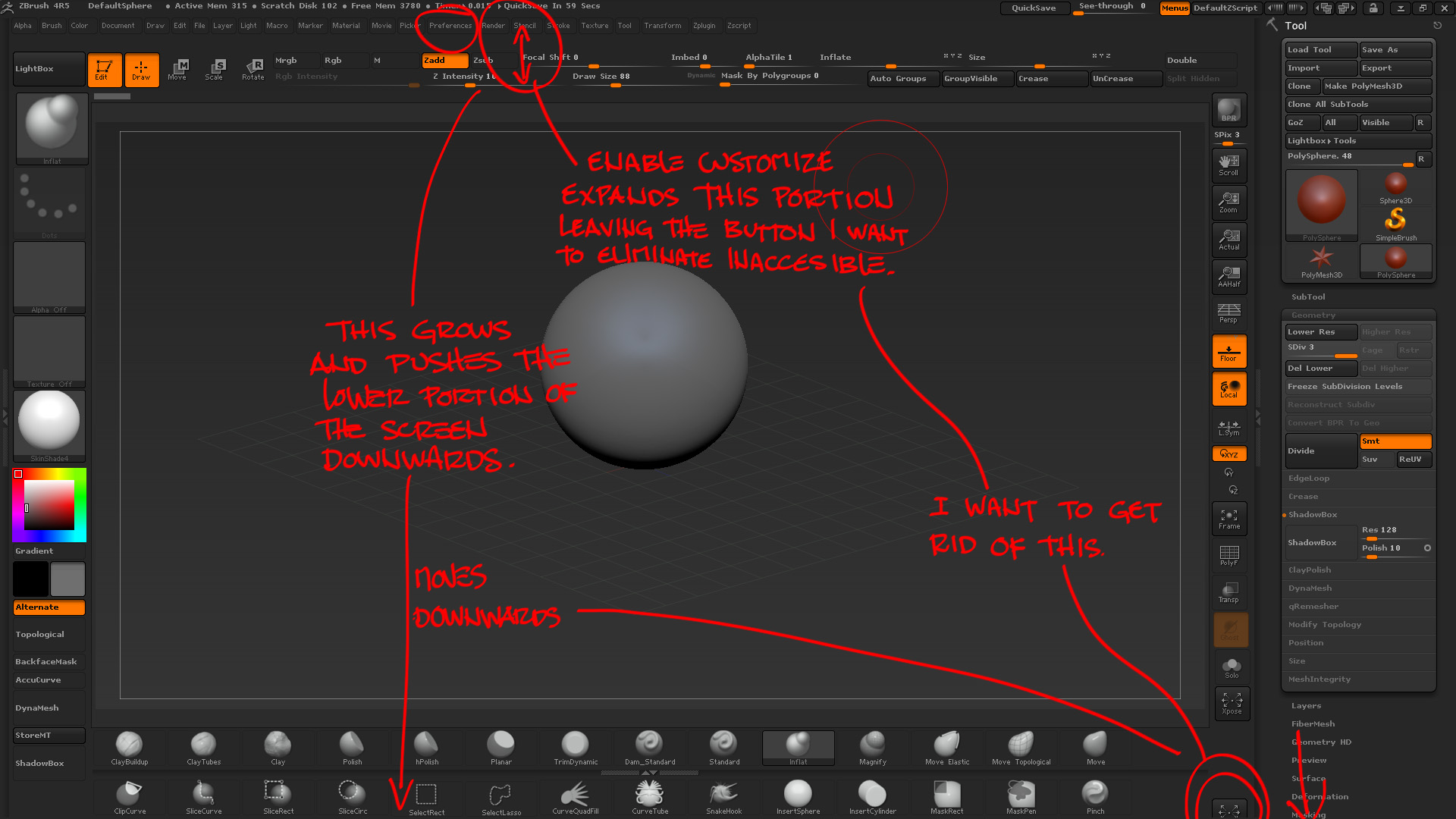
Hey, I Have this small question… I want to know how I can get rido of a button that is on the lower portion of the screen, which becomes inaccesible during enable customize, since the upper screen portion pushes the lower portion down, when accesing enable customize, this leaves the lower portion out of the screen area, therefore its not possible to grab the button and “thror it away” onto the canvas to get rid of it…
Small question, picky, yes, but still would like to know… There would be a way, longer, which would be to start making my personalized config from the beginning but i’d rather not spend time doing that again, and would enjoy knowing better and intrensically zbrush in & out.
Cool!
Attachments