Hi all,
I was very interested by the video entitled MESH-INSERT BRUSH 2: Create A Custom Insert Brush in the following link…
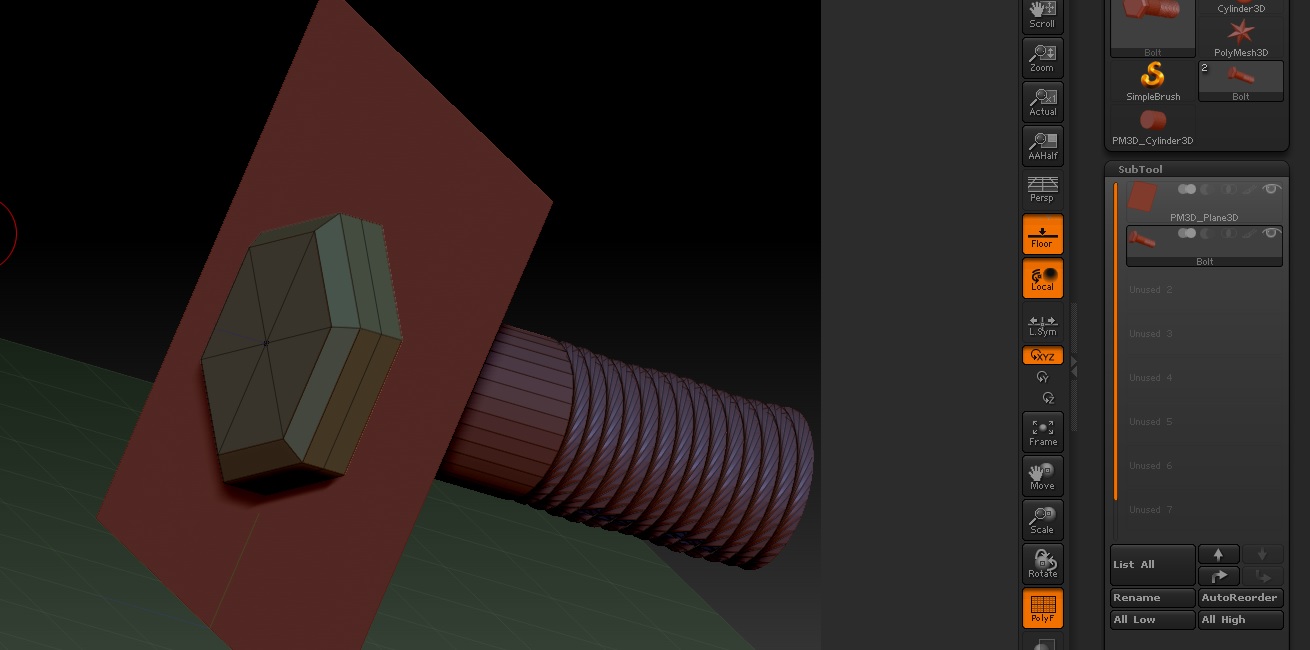
The feature to create custom insert brushes for common simple objects that I would use over and over is really interesting and I have many ideas on how to use it. Everything in the above video seemed to go well for me except when I wanted to re-position my bolt flush with the surface of the special 3d plane subtool. Below is a screen capture of what I mean.
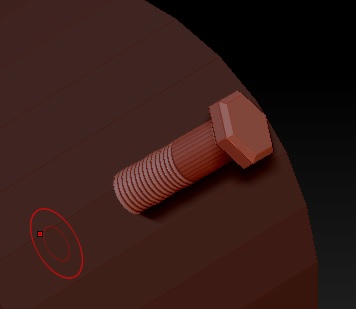
Below is a screen capture of what the end result is, after I apply just like in the video for testing.
I can follow the video to the letter and there are no errors or steps that I skip but somehow, no matter where I place the bolt in comparison to the special 3d plane subtool, it always looks like the second screen capture. Perhaps there is a setting somewhere else that is not discussed that must be toggled. Any ideas? Thanks for reading!
Tjvelcro
Attachments