Try using the CurveTubeSnap brush with snap turned off instead of the CurveTube brush with snap turned on. They act differently from one another and it might be what your looking for.
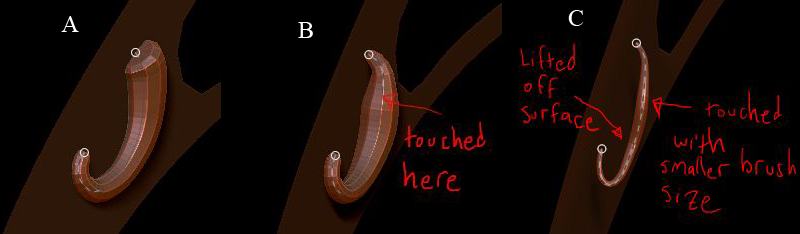
The brush size controls the diameter of the tube. which is designed to change when clicked on. This ability is great if you want to change the diameter after creating one, but utterly terrible when doing other edits to the curve. For example, zooming the viewport camera in and out while editing is a major problem due the fact the brush size stays fixed and doesn’t change relative to the appearance of the mesh size. Where this really becomes a huge annoyance is when you’re trying to precisely connect two tubes together, when one tends to zoom the most. Zoom in, click the curve, and your tube diameter becomes very small. Doing the same when zoomed way out results in a huge tube diameter. Editing curves tends to be hard enough as it is without this interference. All it would take to fix this is an option to disable the connection between brush size and tube diameter, and I honestly don’t know if there is a way to do that at the moment.