When creating a curve surface, I sometimes want to adjust the length of specific curves. Is there any way to do this after they are created. Im using 4r5.
If you move the cursor so it is over a curve, the cursor will change to turquoise. This means you can edit the curve.
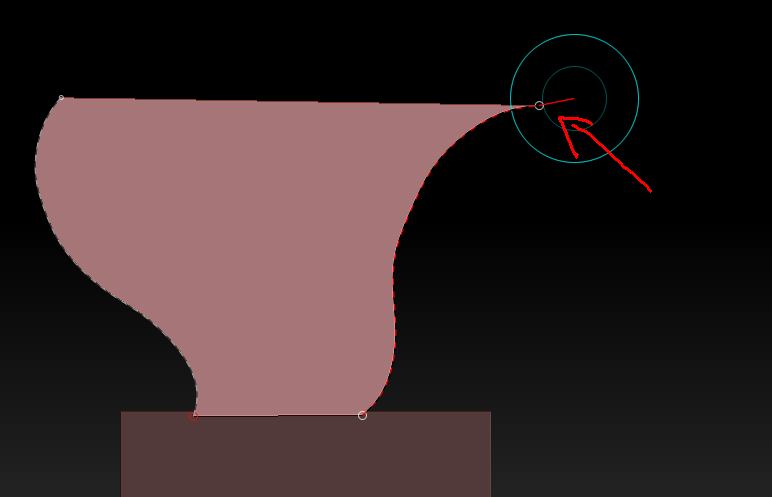
*You can add to its length by placing the cursor over the little ring at the curve’s end. Move the cursor away from the ring until a red line appears (see pic). Now click+drag to add to the curve.
*You can change the shape of the curve by turning on Bend in the Stroke>Curve sub-palette. You might also like to experiment with the Lock Start and Lock End options to see how they affect editing the curve.
Attachments
Great, thanks for the answer!
Is there a way to subtract from a curve though?
any way to do this?
Sorry, missed your new question. Not really. It is possible to draw a new curve across two points of the old curve which can result in a shorter curve but frankly it is simpler to just undo and draw the curve again.