Any help on what this means? Using curve bridge to make a surface to " bridge " these together and i get all these little red dots… Thinking this curve is still open. Anyway to close a curve?
Attachments
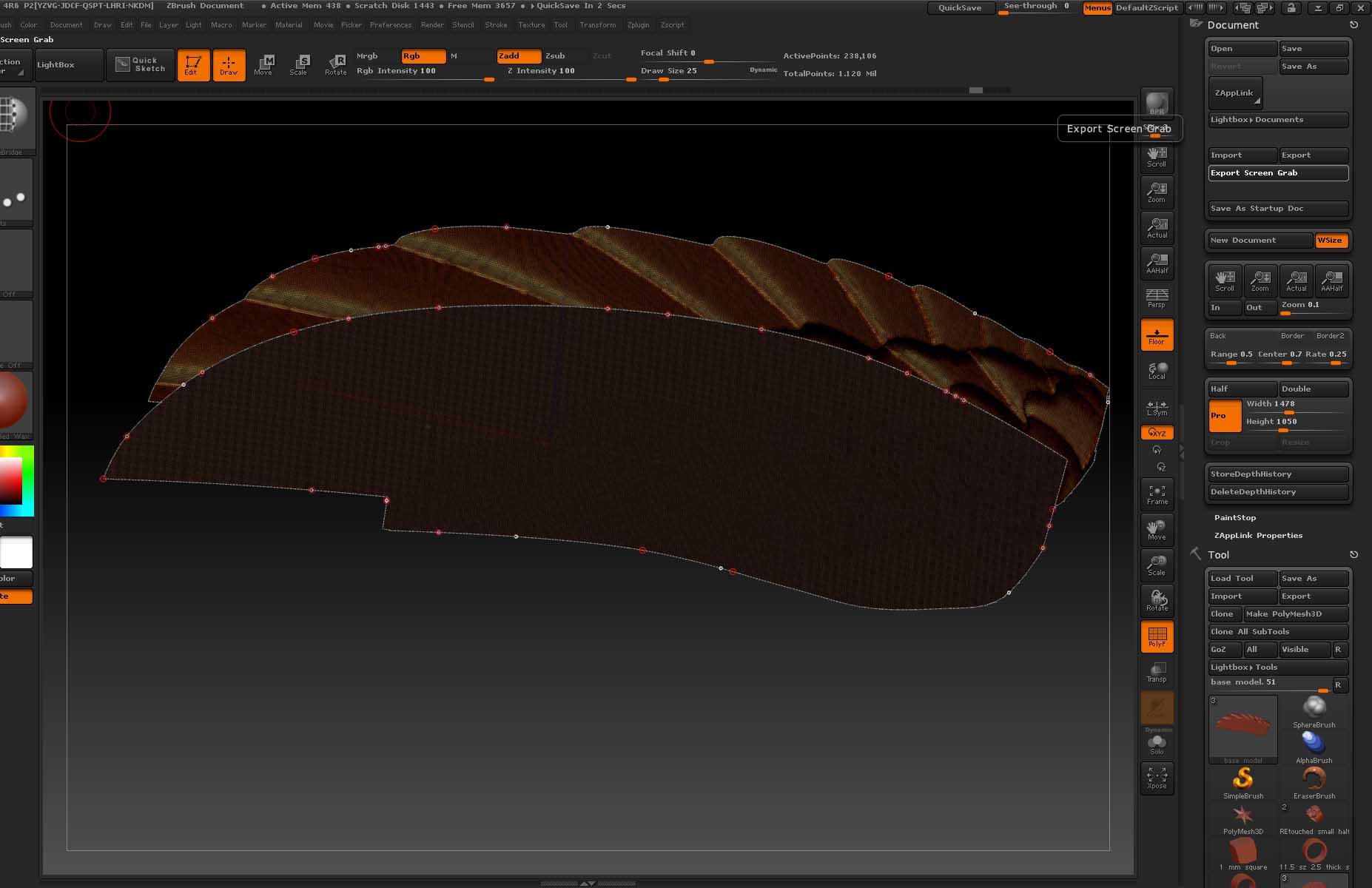
Any help on what this means? Using curve bridge to make a surface to " bridge " these together and i get all these little red dots… Thinking this curve is still open. Anyway to close a curve?
Did you try close holes in the geometry pallette? Never played too much with the bridge function here. How did you get to that point?
Hey Doug,
Thanks for the reply! I finally got it to work… after more slicing and deleting geometry.
So I sliced up this mesh, deleted the parts i didnt need. Made them 2 different polygroups, then used curve bridge brush along with frame mesh to make the new surface between the 2. But i dont really understand the curve tool and how to close a curve… I think that is what all the little dots are. . .
This brush acts like sweeping 2 rails with a connecting curve to make a surface. . pretty cool.
I think it should be more automatic than it is with a manual button for more difficult areas. You show two distinct groups, point count on borders would probably have to be the same, maybe it is. It usually twists on me.