ZBrushCentral

Ctrl+Shift+LMB and the object was deleted. Why?

Hello.My objects are separated using Group Visible function.
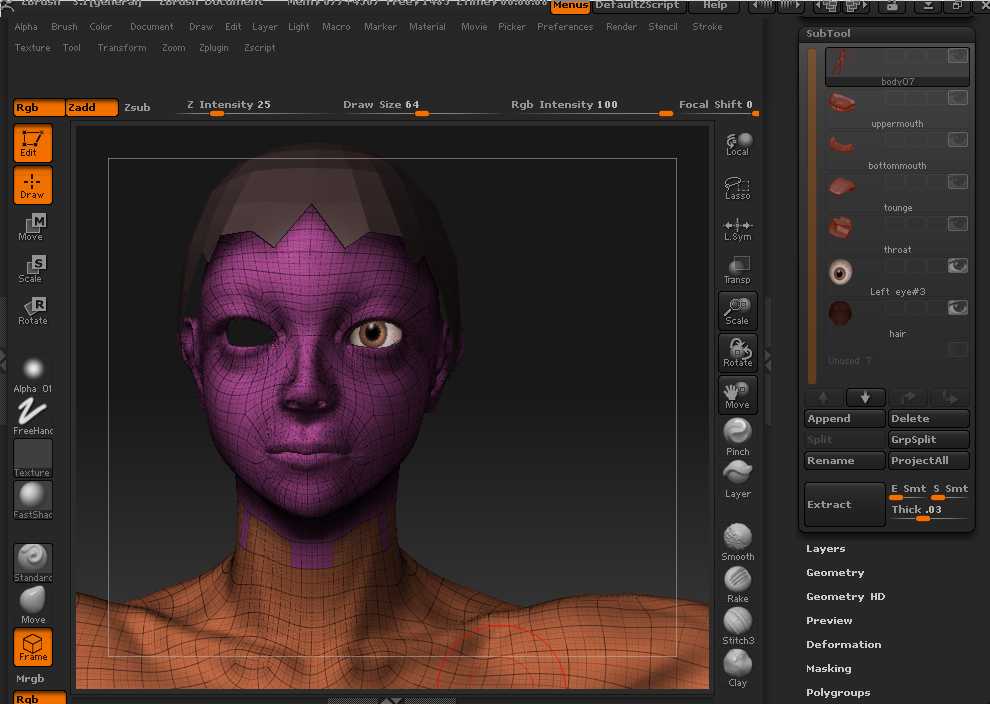
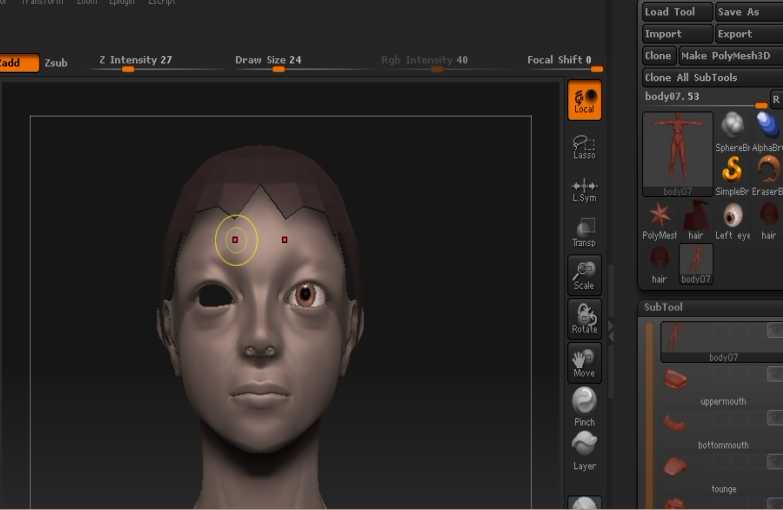
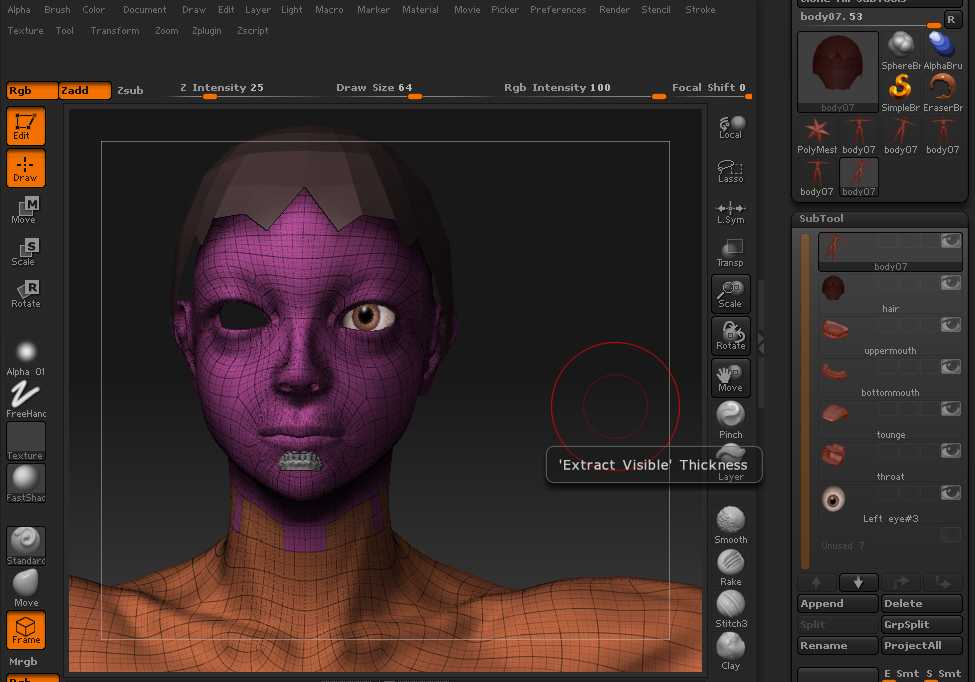
And I tried to hide all parts other than the head and pushed these shortcut buttons, the object including some subtools were all deleted. Why? I made this mistake 3 times. Thanks to this,10 hours were wasted in total. Help me Please. I attached the pictures that recorded the situation. The picture No2 says “Switching to Subtool 7”. Is this the problem?

Thank you.

01.jpg

Attachments

02.jpg

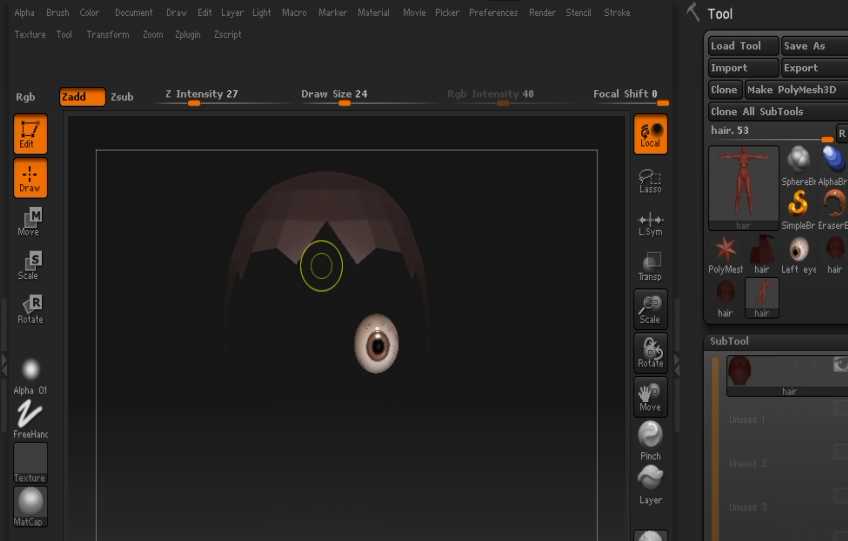
03.jpg

Are you using 3.0, 3.1, 3.12 or 3.12B?

What exactly are you Ctrl+Shift+Clicking on? Is it a part of the model? The canvas? An item in the interface?

Thank you for your reply,aurick.

I am using ver3.1. And Ctrl+Shift+Clicking on a part of the model , the head, that is separated as a poly group.

Thank you for your reply.
I am using ver3.1 and Ctrl+shift+clicking on a part of the object, the head.

Are you sure the other subtools have actually been deleted? The selected subtool is always visible but if its eye icon is switched off (as yours appears to be) then selecting a different subtool will make it invisible. Sometimes using Shift+Ctrl+click to select subtools can cause the subtool list to appear empty. Click twice on the eye icon of the selected subtool to see if all the others appear and use the ‘UP’ arrow to scroll back up the list.

Thank you for your comment,marcus.

Like you said,all subtools arent deleted. I pushed “Up arrow” button and I find there are all subtools still other than body07 subtool. I pushed Up arrow button to restore the subtool list, but couldnt find the Body subtool, which is the object I tried to partially hide. And I turned off and turned on the eye icon of the subtools, Eye and Hair, and I could recover the body07 subtool, which wasnt listed in Subtool list though. Then Ctrl+Shift+Clicking on the Body object on the canvas, then finally I could restore the body07 subtool on Subtool list, but the body07 subtool was moved upward a little.

I attatched the pictures that shows the situation.
You may notice The Body subtool is slightly moved upward after this process because the inner mouth part, which is a subtool named as bottom mouth, is visible.Do you know why?
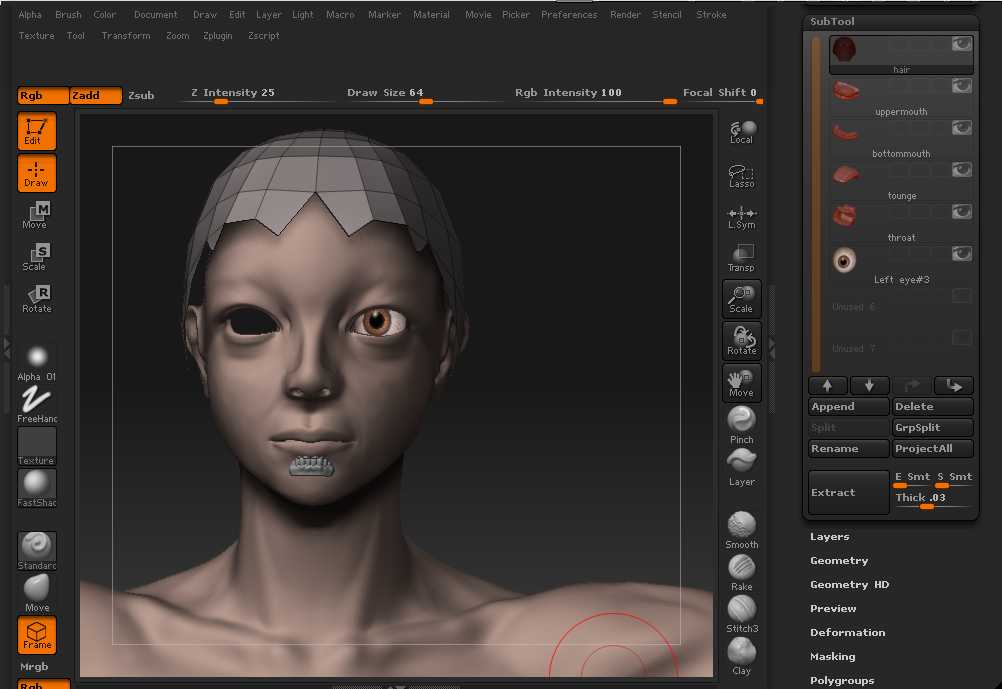
03.4.jpg

Pic No3 shows the original position of subtool body07.

Attachments
04.jpg

03.5.jpg

Sorry,I failed to delete a pic No2.
No2 and No4 are same and show the original position.

I’m glad you got it sorted out. (For reference, you can use the Up and Down arrows on the keyboard to move up and down the subtool list.)

It looks to me as though the teeth are what has moved rather than the body (as the eye appears in the right place in all pictures). Have you smoothed the body by subdividing? If you have then that might account for it as the smoothed mesh will have shrunk a tiny bit. Apart from that I have no idea what may have caused the change.

ahhh, sorry. I forgot I moved the body upward before. So seems this problem is solved. Thank you !

No problem, glad it’s all worked out.