ZBrushCentral

Cristal-like ceramic bowl form

Hi

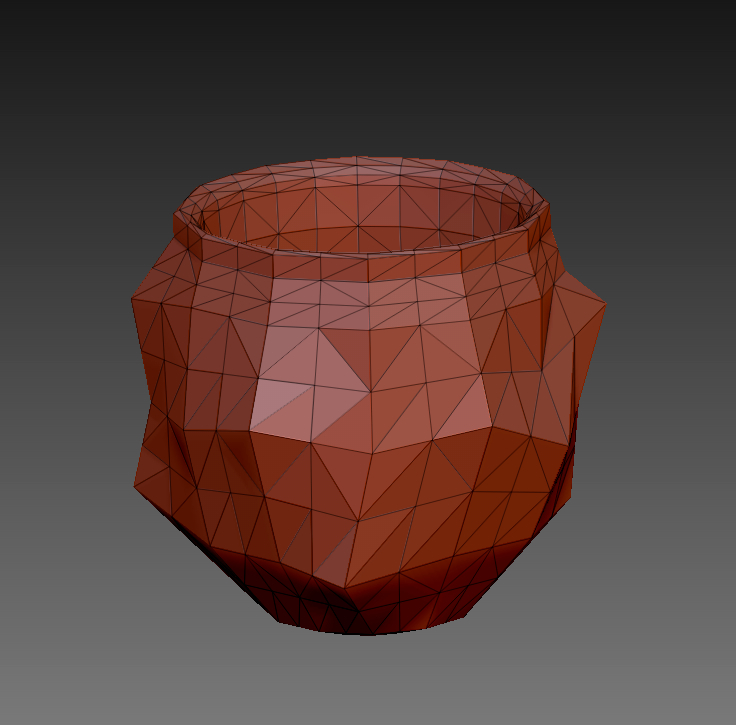
Does someone have any suggestions on how to correctly build a mesh for ceramic tea-bowl with a faceted, cristal-like outside surface and a rounded, nice smooth inside?
I already have a basic form, but subdividing the mesh to get the smooth inside will off course lead to a loss of the sharp edged outside.

My first approach looks so:

Attachments
CRISTAL BOWL.jpg

Isolate your mesh’s inside and make it a polygroup.
Invert your selection to show the parts you want to have faceted.
Go into your polygroups panel and make each polygon a polygroup using the group by normals and turn your max angle down.
you can then crease by polygroups in the geometry.crease panel

After you’ve done that you can divide and keep the inside smooth and the outside faceted.

Sidenote: You don’t have to triangulate the inside of your mesh as it isn’t set up for a SDS model.

Thanks for reply, beta_channel!
Sounds good, I’ll try that way.

Cheers

Thanks a lot, that worked nicely!

IceTea.jpg

Now I’m wondering if this would also work for a 3D Print (just exporting the same file as .stl) or if they are more workarounds needed for 3D Print purposes.

Should work fine. Unless it’s got too many polys, in which case just run it through decimation master.

Maybe you saw this page already>> http://docs.pixologic.com/user-guide/zbrush-plugins/3d-print-exporter/

Thank you, Gordon.
I have 11.712 Polys at 3. Subdiv-Level and the Inside seems to be still smooth enough, so it should work.

IceTea2.jpg

…and thank you too, Doug, I never saw the pdf 3D Print exporter guide before, that’s exactly what I need.

You’re welcome. The program has lots of features :wink: