Hi all…
this is a very basic straight forward question, but I’ve been battling to find the answer to this.
I want to create tubes that is coming out of a characters head, but I can’t figure out how to do the grooves so that their spacing and indent is right. The tubes are also bent.
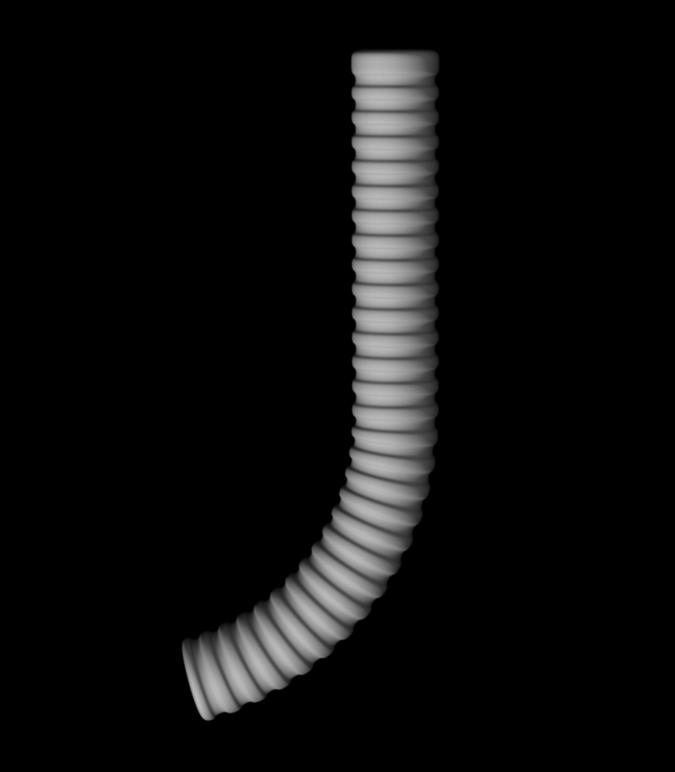
I have added an image here of a similar type of tube I quickly made in XSI to illustrate. If I create it with Z-scetch I get a groove like look, but it’s not quite what I’m looking for. I considered first doing the tubes and creating the indents by masks, and then duplicating and bending them into place, but I’m sure there must be a faster more ifficient way of approaching this??
I’m sure the answer is plain, but this has me stuck!! 
Attachments

 If you make (or find online) and then import a texture of black and white horizontal stripes and put that in your texture slot and “fill” the object with the texture, you can then apply it as a mask all in one go by going to the masking palette and selecting mask by intensity. You may still need to tweak the mask a bit and clean it up on the ends, but it may be what you are looking for.
 small_orange_diamond
 Also using the Texture fill approach. As I’ve been unsuccesfull filling it with a striped texture. I have RGB turned on. But my mesh stays white (fastshader)