ZBrushCentral

Creating Holes using Subtools or other methods? (Boolean type thing)

Hey everyone.

Im really confused about this and its getting very frustrating!

Basically im trying to calve a hole through in my main mesh with a subtool, is it possible? So in my document I have two layers, my main mesh and a cylinder I have inserted)

If not an alternative method would be extremely handy!

I watched the video of the speed sculpt below off the Zbrush Website and im trying to replicate how he cuts the holes in the creatures back fin.

Anyone help would be greatly appreciated!

Attachments
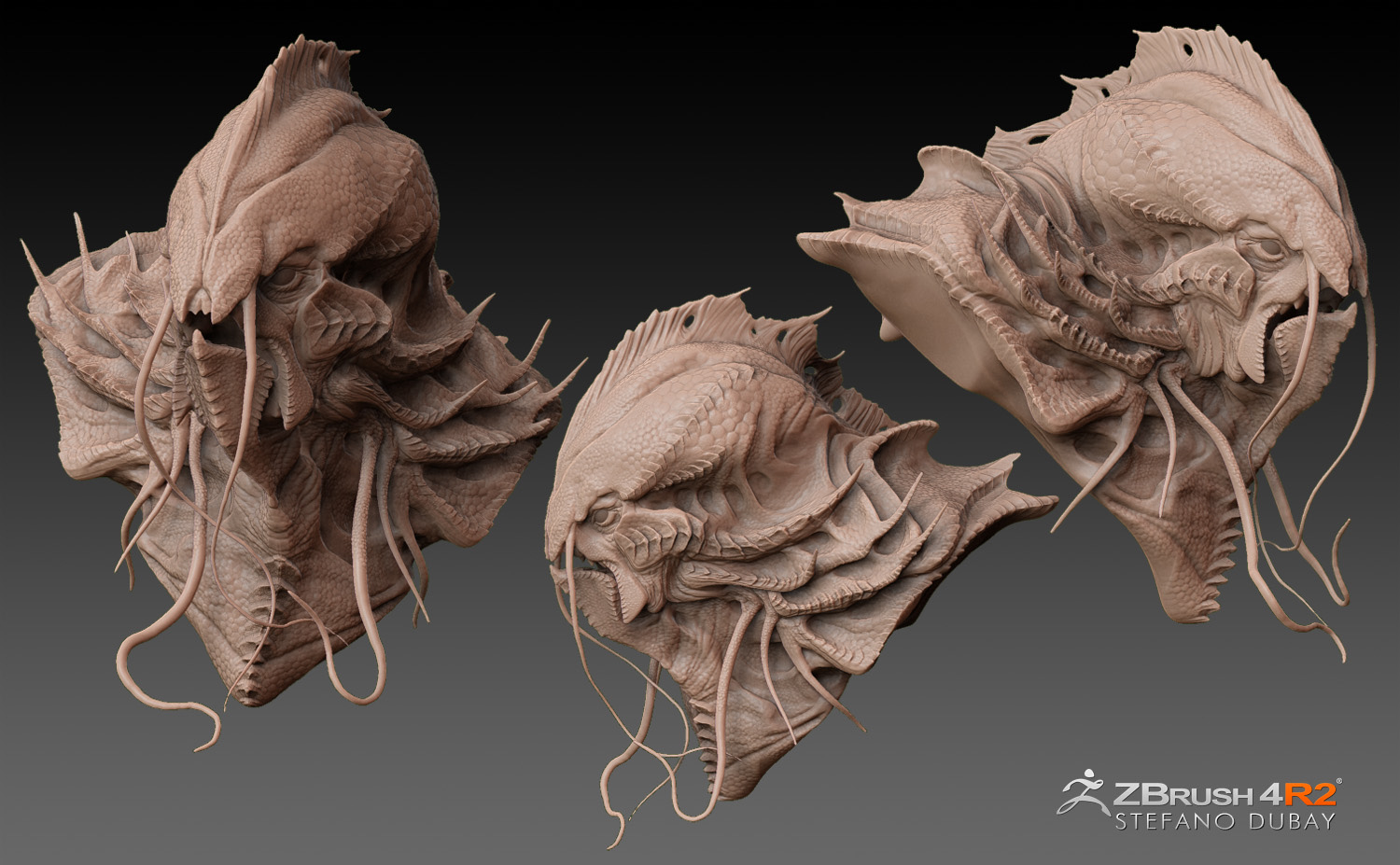
stefano_dubay_02.jpg

I would also benefit from any help offered. Booleans in other 3D softwares I’ve used seem to behave better to me.

Hello there. There are a few options when it comes to holes / booleans. For dynamesh specifically, the quickest method is probably to hold down Alt while inserting a mesh to mark it as a subtractive volume. If you already have an insertion in place that you wish to use instead, you can use Tool >> Polygroups >> Group as Dynamesh Sub to mark is as subtractive.

An alternative method uses a subtool for a boolean instead and is explained on page 72 of the What’s New Documentation (Merging SubTools as DynaMesh).

Heya, thanks for replying.

Ive tried the methods you have posted but im still not getting it. It just keeps adding additional geometry to my mesh

Would you mind going into them a bit futher and maybe explain in a little more detail?

Also what is the “What New Document” and where is it located? Ive tried looking around but cant find the specific area you recommended.

Is there any videos (Youtube) of how to do it anyone knows about?

Thanks again.

Page 72; its the only thing on the page. Here’s an online version of it: http://www.pixologic.com/docs/index.php/Dynamesh_Additions

Do you still get a positive insertion when dynameshing even when the mesh is marked as a negative volume? (When inserting with ALT, the mesh should appear flipped as an indicator).

There’s another technique for Remeshing (http://www.pixologic.com/docs/index.php/Remeshing).

On Windows the Documentation is at the following address:

C:\Program Files (x86)\Pixologic\ZBrush 4R4\Documentation

Try this method shown in this training video. I have used it to make very interesting shapes and angles.http://www.pixologic.com/zclassroom/homeroom/lesson/transform-tool/

It’s the same as what Sime was saying, but it shows it alot better than the documentation.