ZBrushCentral

Crash trying to deform

Zbrush 4R8P2 on Windows 7 (64).

I’m trying to deform the attached small (zipped) ztl with the twist deform.

Every time I open the deformer (Move/Customize/Twist) ZBrush crashes.

I see nothing wrong with the mesh, and I’ve tried Deformation/Normalize first to no effect.
I’ve also run the Geometry/Mesh Integreity test. No problems.

The issue seems to affect most of the deform options, but is possibly not 100% reproducible
(I think I’ve seen flatten work once). I’d guess it’s something to do with this mesh, as I seem
to be able to run the deform tools on other meshes OK.

Any ideas on what might be wrong with this simple mesh? Or perhaps some workround to try?

Thanks.

G._FromZB.zip (10 KB)
Oops. Wrong Forum. Moderator please feel free to move thread to the general Q&T forum.

Anyway, I think I’ve found a fix. I suspect the tool in question is too big (or too long).

That is, if I re-import the mesh from an OBJ scaled down to about 1.5 units. It seems to work.

It looks like the original tool would have been something like 35 ‘OBJ’ units in length.
I’m still puzzled though. I thought ‘Deformation/Unify’ scaled the tool to 1.0 ot 2.0 units?

Clearly I’m wrong there.

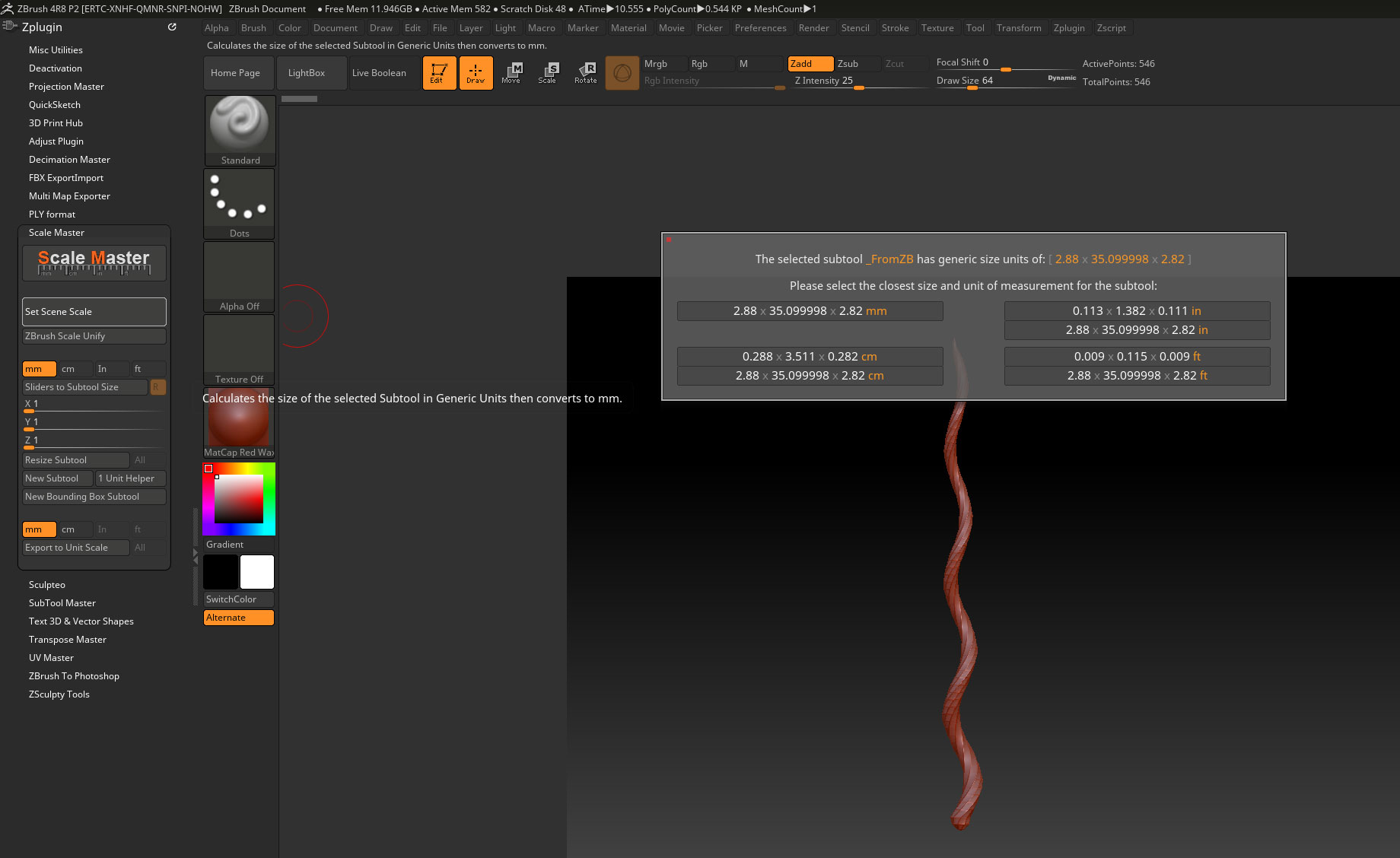
Is there some way to ask ZBrush what the dimensions of a tool are?

G.

The ZTL you posted has been scaled by ZBrush to be its optimum size of 2 units max. You can check this in the Tool>Geometry>Size section.

For the size on export you can use the Scale Master plugin, installed with the default installation of 4R8.ScaleM.jpg

Attachments

ScaleM.jpg